How to Use Your Mac as a Digital Photo Frame
Turn a Mac, an old iMac or a spare monitor into a digital photo frame: a slideshow in a window or full screen, with no screen saver getting in the way.

September 23, 2025 by Manuel Escrig · 5 min read
Updated October 2026

Any Mac on macOS 12 Monterey or later can be a digital photo frame: install Digital Photo Frame App, pick an album, and play it in a window, on a second display or full screen. Turn on Prevent Mac Screen Saver and the slideshow keeps going for as long as you like.
- Works on macOS 12 Monterey or later, on Intel and Apple silicon Macs.
- Plays your Photos library, iCloud shared albums, folders, Google Photos, Immich or a NAS.
- Runs in a window, on a second display or full screen, with keyboard controls.
- Settings > Advanced > Prevent Mac Screen Saver keeps the screen awake while a slideshow plays.
I make Digital Photo Frame App, and most people know it from iPads. The Mac version is the same app with the same slideshows, plus a few things that only make sense on a desktop. Here is how to set it up.
What you need
- A Mac on macOS 12 Monterey or later. Intel and Apple silicon both work, so an older iMac is a good candidate for a dedicated frame.
- Digital Photo Frame App from the Mac App Store. It's free to download; Premium is $2.99 a month, $19.99 a year with a 7-day free trial, or $69.99 once (US prices).
- Your photos, wherever they are. You don't need to move them.
Step 1: Pick your photos
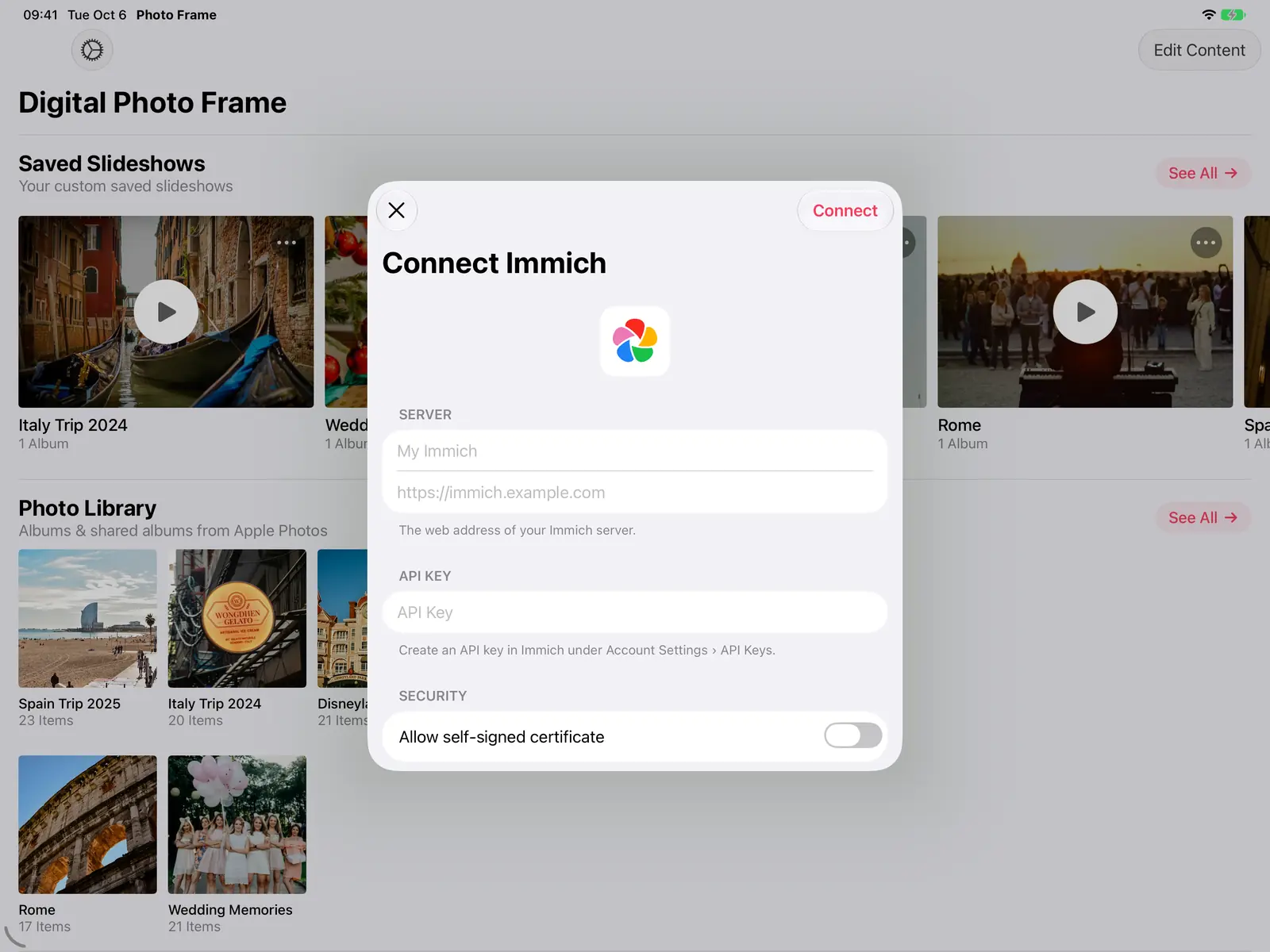
Allow access to your photos and your albums and iCloud shared albums from the Photos app appear on the home screen. To use photos from somewhere else, open Add Source: you can connect Google Photos (you pick photos in Google's own picker), an Immich server, a NAS or WebDAV server, or add folders through the Files source.
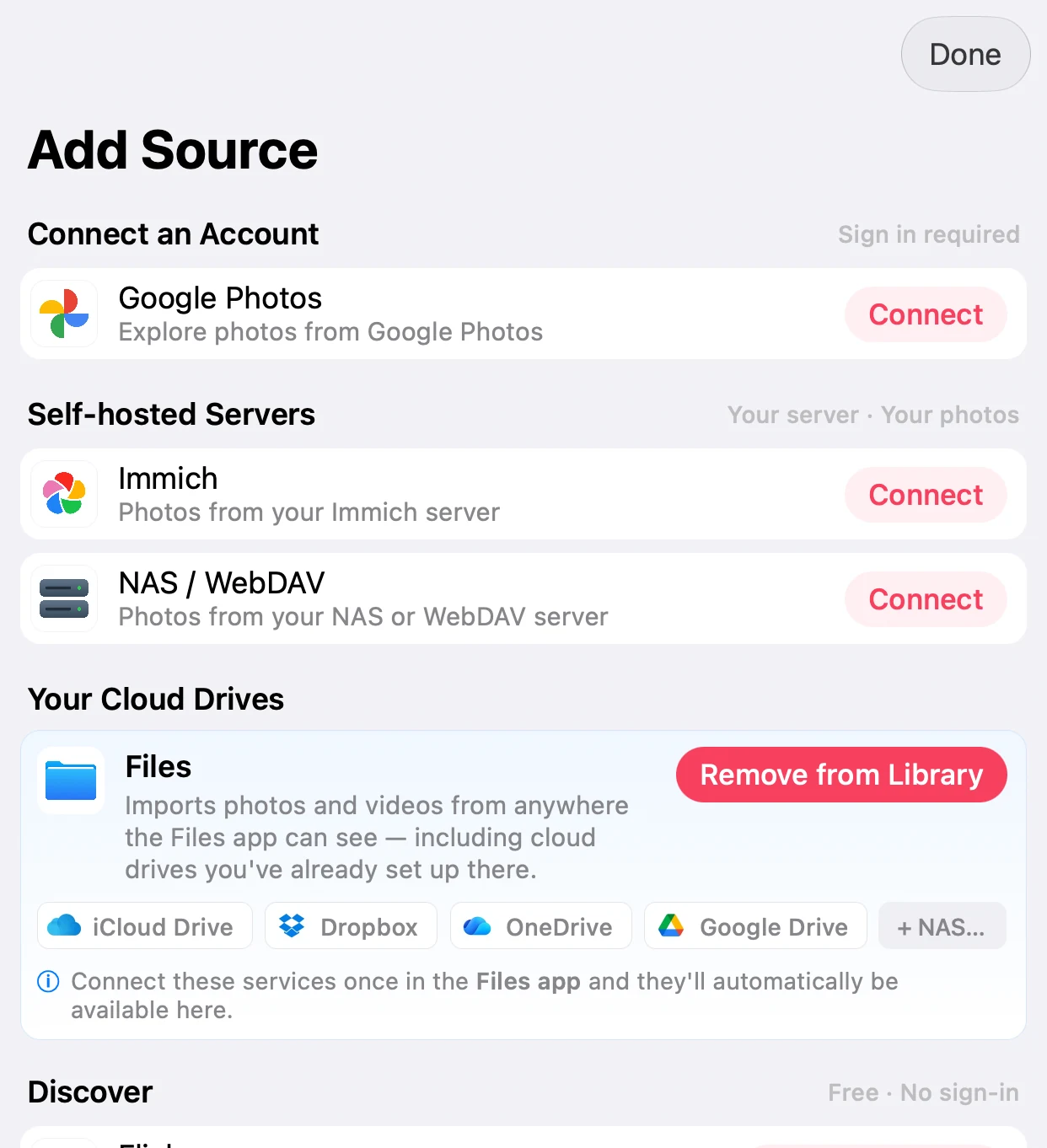
If your photos live on a home server, Immich as a digital photo frame walks through that setup.
Step 2: Choose where it plays
This is where the Mac differs from an iPad. The app runs in its own window, so you can:
- Keep it small beside your work, like a photo frame on your desk.
- Drag it to a second display and let that screen be the frame while you work on the main one.
- Go full screen when you step away, or on a Mac that only shows photos.
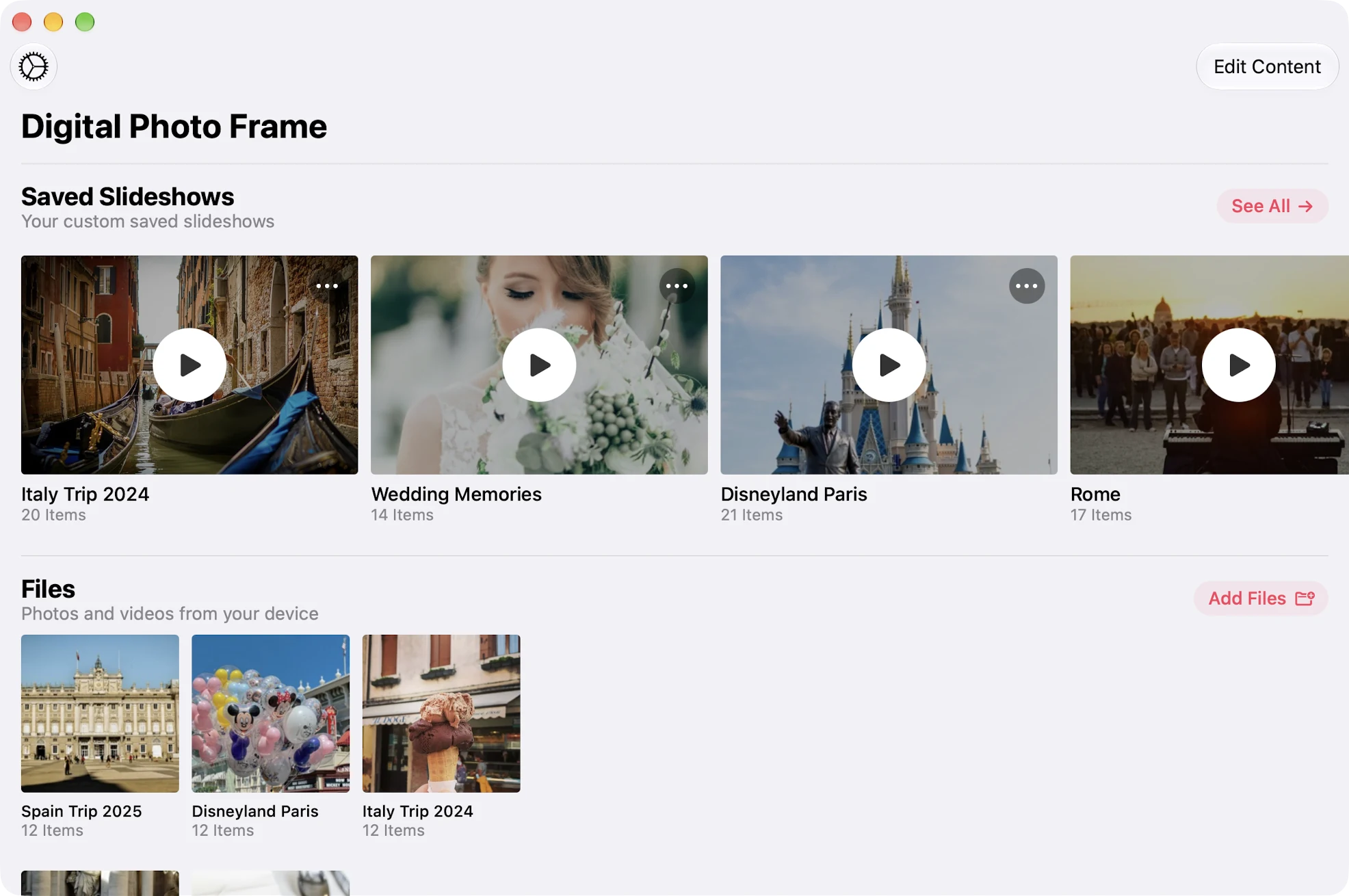
While a slideshow plays, Space pauses it, the arrow keys go back and forward, Return shows the controls and Esc closes it.
Step 3: Make it look right
The slideshow settings are the same as on iPad: how long each photo stays, the transition, whether photos repeat or shuffle, Live Photos and videos, and how photos fill the screen.
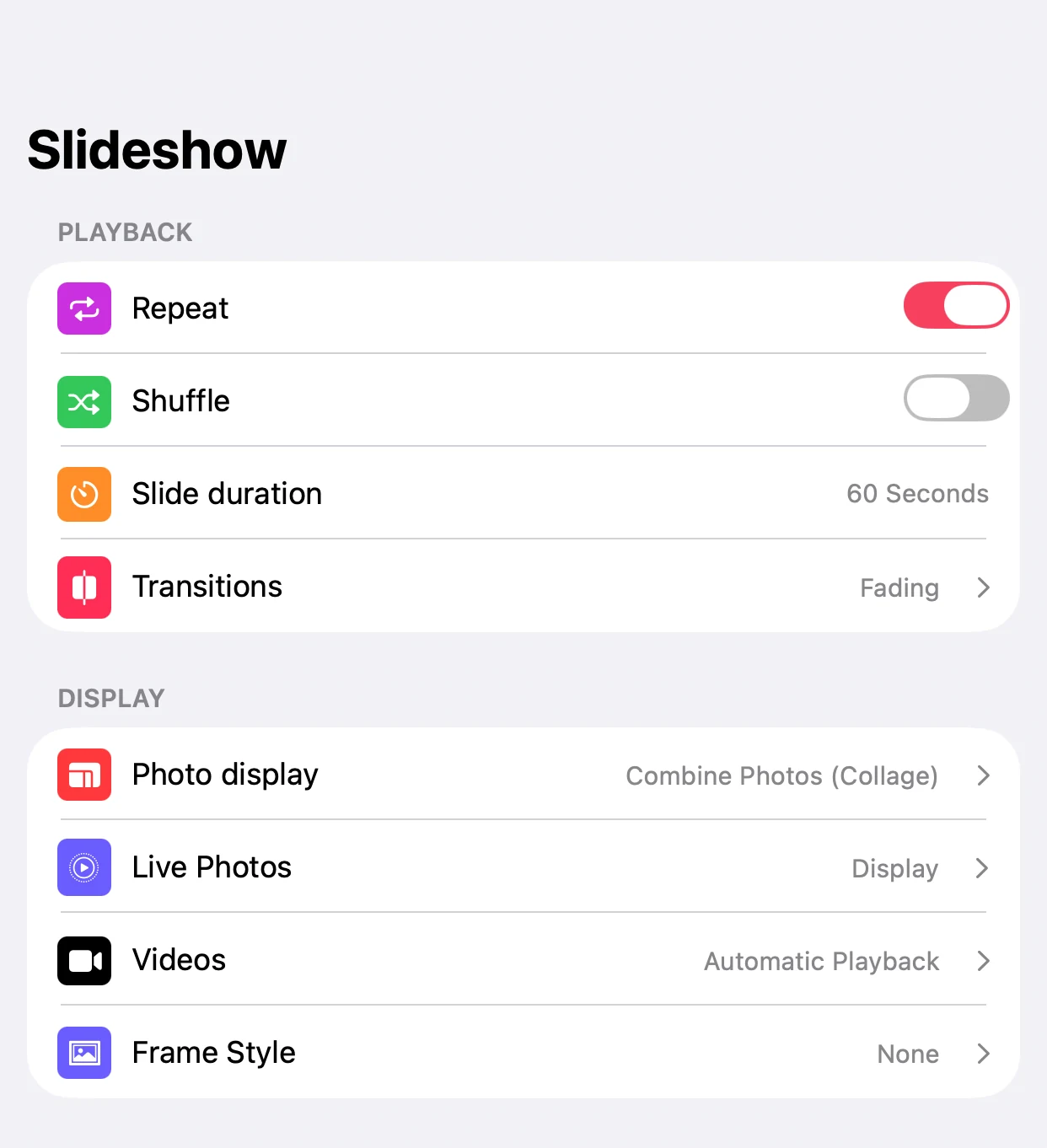
A wide Mac screen leaves a lot of empty space around a single portrait photo. Combine Photos (Collage) shows two portrait photos side by side instead, so the whole screen is used.

You can also show the weather, the date and time, and upcoming calendar events over your photos. To see how much of each photo a widescreen display crops, try the aspect ratio calculator.
Step 4: Keep the screen on
By default your Mac starts the screen saver or turns the display off after a while. Open Settings > Advanced in the app and turn on Prevent Mac Screen Saver. While a slideshow is playing, macOS then leaves the screen on. When the slideshow stops, your normal settings apply again.
On a MacBook used as a frame, keep it plugged in.
Add music
Slideshows can play background music: pick from the Curated Tracks or your own Apple Music Library. The Mac app has its own music picker where you can search and browse by artist, album or playlist, and add a whole album or playlist at once. More in photo slideshows with music.


Good to know
- Slideshows don't sync between devices. A slideshow you build on the Mac stays on the Mac; your iCloud photos and shared albums are available everywhere, though.
- Google Photos works through Google's picker. Since Google's 2025 changes, new photos in a Google album don't appear on their own. For a frame that updates itself, use an iCloud shared album or a folder.
- A Mac is a big, power-hungry frame. For a frame that sits on a shelf all day, an old iPad uses far less power. See how to turn your iPad into a digital photo frame.
Everything the Mac app does is also on the Mac page.
Frequently asked questions
Which Macs can run Digital Photo Frame App?
Any Mac on macOS 12 Monterey or later, with an Intel or Apple silicon chip.
Can I use a folder of photos on my Mac?
Yes. Add it with the Files source. Folders from iCloud Drive, Dropbox or Google Drive on your Mac work too.
Can the slideshow run on a second monitor?
Yes. Drag the app's window to the other display and play it there, full screen if you like, while you keep working on the main one.
Will the screen saver interrupt the slideshow?
Not if you turn on Prevent Mac Screen Saver in Settings > Advanced. The screen then stays on while a slideshow plays.
Do slideshows from my iPad show up on my Mac?
No. Slideshows are set up on each device. Photos in iCloud Photos and iCloud shared albums are available on all of them.
 Share on Facebook
  Share on X
 Keep reading
All posts → Guides Photo Gifts for Grandparents: 10 Ideas
10 honest photo gift ideas for grandparents, from photo books and calendars to frames that keep updating, with effort, …
Guides Photo Gifts for Grandparents: 10 Ideas
10 honest photo gift ideas for grandparents, from photo books and calendars to frames that keep updating, with effort, …
 Guides Large Digital Photo Frame: Should You Use an iPad or TV?
Want a large digital photo frame? Compare an iPad, a TV with Apple TV, and a dedicated frame by screen size, placement,…
Guides Large Digital Photo Frame: Should You Use an iPad or TV?
Want a large digital photo frame? Compare an iPad, a TV with Apple TV, and a dedicated frame by screen size, placement,…
 Guides Immich and NAS Photo Frame for iPad and Apple TV
A self-hosted photo frame for iPad, iPhone, Mac and Apple TV: show photos from Immich, Synology, QNAP, Nextcloud or any…
Guides Immich and NAS Photo Frame for iPad and Apple TV
A self-hosted photo frame for iPad, iPhone, Mac and Apple TV: show photos from Immich, Synology, QNAP, Nextcloud or any…
 Download Now