Best Digital Photo Frame in 2026: Honest Picks by Need
Which digital photo frame to buy in 2026: Aura, Skylight or Frameo, and when the iPad or Apple TV you already own is the better choice. Sourced facts.

October 6, 2026 by Manuel Escrig · 5 min read
Updated October 2026

There isn't one best digital photo frame. There's the best one for how your family takes and shares photos. This guide helps you pick, using the makers' own specifications and prices (checked October 2026, sources at the end).
A note on who's writing: I make Digital Photo Frame App, which turns an iPad, iPhone, Mac or Apple TV into a frame, so that's one of the options below. I haven't tested every frame on this page by hand. Where a dedicated frame is the better choice, I say so.
The short answer
| If you… | Best choice | Why |
|---|---|---|
| Want a frame that just works, with Google Photos or iCloud albums that update themselves | Aura | No subscription, unlimited storage, automatic album sync |
| Want relatives to send photos by email, without an app | Skylight | Every frame has its own email address; touchscreen |
| Want the lowest price, or a frame that works without Wi-Fi | A Frameo frame | Frames from about $50; free clock and weather; works offline |
| Already own an iPad or Apple TV | Digital Photo Frame App | No new hardware; Live Photos, videos, music; Immich and NAS support |
| Want the biggest screen | Your TV with Apple TV, or a 15" frame | A TV beats any frame for size |
Aura: the most turnkey frame
Aura frames cost $143 to $499 (the LCD models list at $143 to $299) and have no subscription: storage is unlimited and included. Their standout feature is album sync. Connect a Google Photos album, or add albums from your phone's photo library (including iCloud shared albums), and new photos appear without anyone sending them.
Watch out for: setup needs a smartphone, the Aura app and an account; the frames have a touch bar rather than a touchscreen; Aura says the frame needs Wi-Fi to work; and Aura doesn't document a clock or weather display.
Skylight: the easiest for relatives
Skylight frames cost $139.99 to $299.99. Each frame has its own email address, so grandparents and cousins can send photos without an app or account, and the frames are touchscreens. The optional Skylight Plus subscription ($39 a year) adds remote settings, albums, cloud backup and TV mirroring.
Watch out for: Skylight's own pages disagree on whether video and captions on the Frame 2 need Plus, so check before you buy. Photos are stored on the frame (8 or 16 GB) and the oldest are replaced when it's full. Skylight doesn't document Google Photos or iCloud sync.
Frameo frames: the best value
Frameo is the app inside many inexpensive frames from different brands, usually about $50 to $130. The free version includes a clock, weather, one synced calendar and 15-second videos, and the frames work fully without Wi-Fi once photos are on them. Optional Frameo+ costs $16.99 a year.
Watch out for: family members send photos through the Frameo app after entering a code from the frame; there's no email upload and no album sync, so from Google Photos or iCloud you share a few photos at a time. Screen and build quality depend on the brand.
Or use what you already own
If there's an iPad in a drawer or an Apple TV under the TV, you may not need to buy anything. Digital Photo Frame App works on iPads with iPadOS 15 or later, iPhone, Mac and Apple TV:
- iCloud Shared Albums update by themselves: family adds a photo and it appears on the frame. Since iOS 27, relatives can add photos on the web without an Apple device.
- Live Photos and videos, background music, and on-screen weather, time and calendar.
- Immich and NAS / WebDAV (Synology, QNAP, Nextcloud): almost no dedicated frame supports these. See Immich and NAS photo frame.
- Price: free to download; Premium is $2.99 a month, $19.99 a year with a 7-day trial, or $69.99 once.
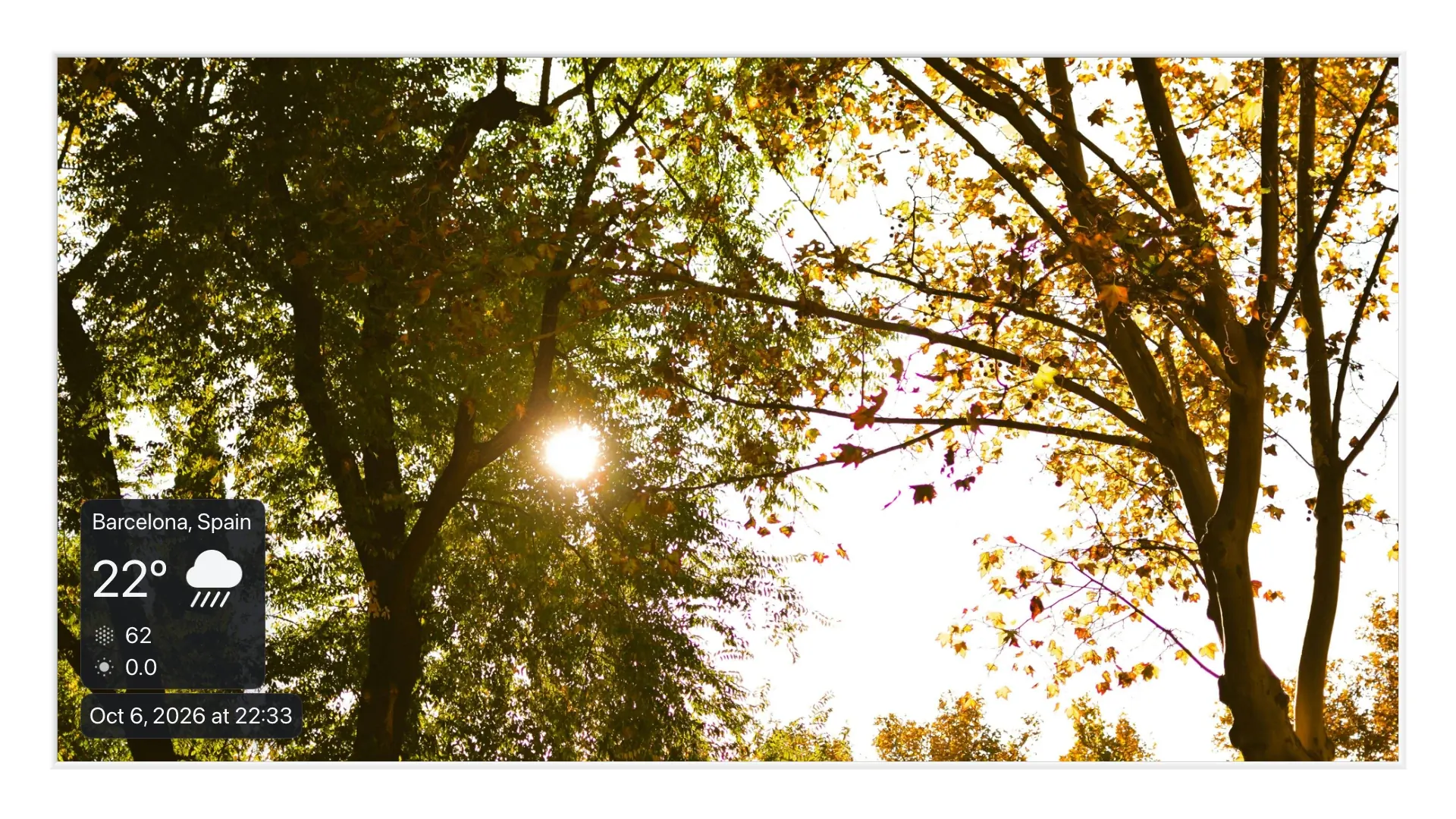
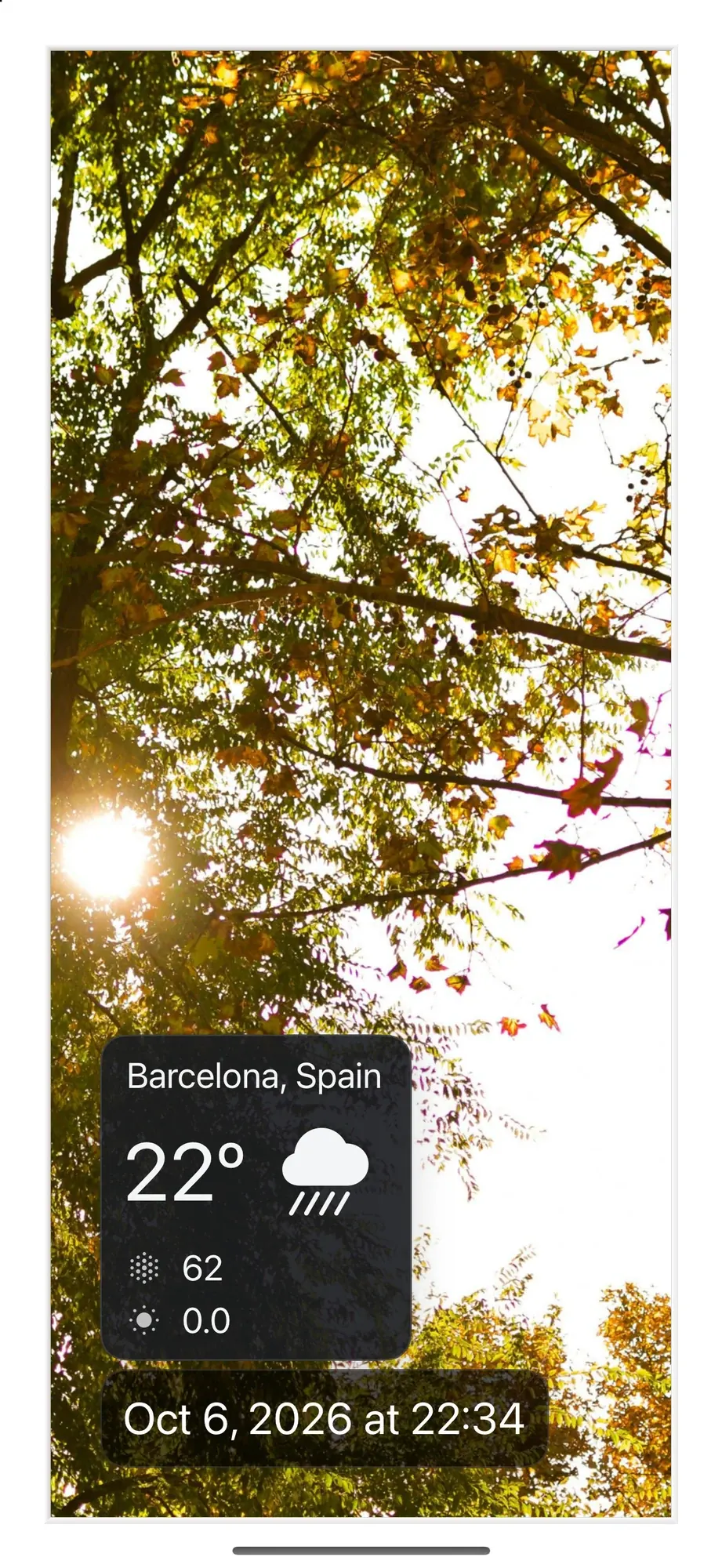
Watch out for: an iPad has to stay plugged in, the Google Photos support is limited to photos you pick by hand (Google's 2025 rules), and someone has to set it up once. Step by step: how to turn your iPad into a digital photo frame.
What to check before you buy any frame
- Ongoing costs. Is there a subscription, and what stops working without it?
- How photos get on it. App, email, web, or albums that sync by themselves? Who in your family will actually send photos?
- Your photo service. Google Photos, iCloud, or something else? Check that the frame supports it in the way you need.
- Videos. Many frames limit clips to 15 seconds to 2 minutes.
- Wi-Fi. Does it keep working if the connection drops?
- Screen. Size, resolution, and whether portrait photos fill it or get black bars. The aspect ratio calculator shows how your photos fit a given frame.
- Clock, weather and schedules. Nice to have on a frame you see every day.
Compare them side by side
The full feature table for Aura, Skylight, Frameo and the iPad option is in Frameo vs Aura vs Skylight. If the frame is a gift for grandparents, also see digital photo frame for grandparents.
Frequently asked questions
Do digital photo frames need a subscription?
Not always. Aura has none. Skylight and Frameo work without one but sell optional plans with extra features.
Can a digital photo frame show Google Photos?
Aura syncs Google Photos albums automatically. Frameo lets you share photos from Google Photos a few at a time. Apps on iPad can only use photos you pick by hand.
Is an old iPad as good as a digital photo frame?
Often better: the screen is sharper and it plays Live Photos and videos. The trade-offs are that it needs to stay plugged in and someone has to set it up.
What's the best digital photo frame for grandparents?
One they never have to manage. If relatives don't use iPhones, Skylight's email address is the simplest way to send photos. If the family uses iPhones and there's a spare iPad, an iCloud shared album on the iPad updates itself. More in digital photo frame for grandparents.
Which frame works with Immich or a NAS?
None of the three frames documents support for Immich or NAS servers. Digital Photo Frame App on iPad, iPhone, Mac or Apple TV connects to both.
Sources
All checked on October 6, 2026; US prices, some were sale prices that day. Aura: frames and prices, Google Photos, technical requirements. Skylight: Frame, Frame 2, Skylight Plus. Frameo: plans, without Wi-Fi; frame prices from current Amazon listings.
 Share on Facebook
 Share on X
Keep reading
All posts → Comparisons iPad vs Aura, Skylight & Frameo Frames
Should you buy an Aura, Skylight or Frameo frame, or use an iPad you already own? An honest comparison of price, photos…
Comparisons iPad vs Aura, Skylight & Frameo Frames
Should you buy an Aura, Skylight or Frameo frame, or use an iPad you already own? An honest comparison of price, photos…
 Comparisons Frameo vs Aura vs Skylight: Which Photo Frame?
Frameo, Aura and Skylight compared on price, subscriptions, Google Photos, iCloud, video and offline use, and when an i…
Comparisons Frameo vs Aura vs Skylight: Which Photo Frame?
Frameo, Aura and Skylight compared on price, subscriptions, Google Photos, iCloud, video and offline use, and when an i…
 Comparisons Google Photos vs iCloud for a Digital Photo Frame
Which photo source works best for a digital photo frame? iCloud and Google Photos compared on automatic updates, family…
Comparisons Google Photos vs iCloud for a Digital Photo Frame
Which photo source works best for a digital photo frame? iCloud and Google Photos compared on automatic updates, family…
 Download Now
