How to Turn Your iPad into a Digital Photo Frame
Turn an old iPad into a digital photo frame in 10 minutes: which iPads work, the settings that matter, and how to keep it running day and night.

August 14, 2025 by Manuel Escrig · 6 min read
Updated October 2026

An iPad you no longer use makes a better digital photo frame than most frames you can buy: the screen is sharper, it plays videos and Live Photos, and you already own it. This guide shows the whole setup with Digital Photo Frame App, from choosing photos to letting the iPad sleep at night.
I've run my own setup this way since 2017: an old iPad in my parents' living room plays an iCloud shared album that now holds more than 2,000 photos of our kids. Everything below is what I'd tell a friend setting one up. For a quick overview of what the app does on iPad, see the iPad page.
- Any iPad on iPadOS 15 or later works, back to the iPad Air 2 and iPad mini 4.
- Pick an album, choose Adaptive Fill so portrait and landscape photos both look right, and turn on Auto-Play.
- Use an iCloud Shared Album if family should add photos from their own phones.
- A Schedule turns the frame off at night; a free Shortcuts automation starts it again in the morning.
What you need
- An iPad on iPadOS 15 or later. That includes the iPad Air 2, iPad mini 4, iPad (5th generation) and every newer model, so many iPads sitting in drawers will work. Older iPads that stop at iOS 12 can't install the current version.
- A charger and a stand. A photo frame stays on all day, so keep it plugged in.
- Your photos in the Photos app, an iCloud Shared Album, the Files app, Google Photos, Immich or a NAS.
- Digital Photo Frame App. It's free to download. Premium is $2.99 a month, $19.99 a year with a 7-day free trial, or $69.99 once.
Step 1: Choose your photos
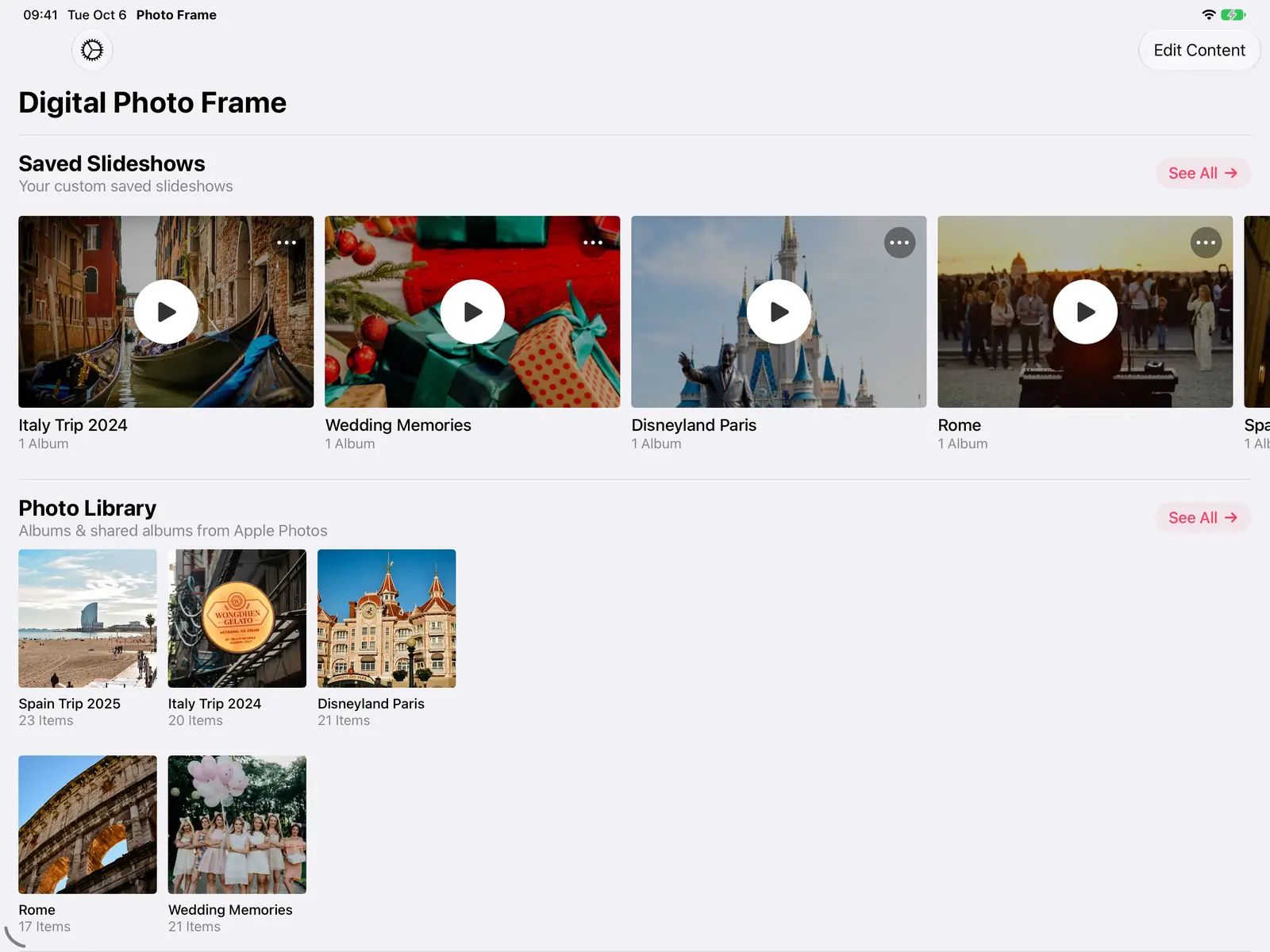
Open the app and allow access to your photos. Your albums and iCloud shared albums from the Photos app appear on the home screen, and you can play any of them straight away.
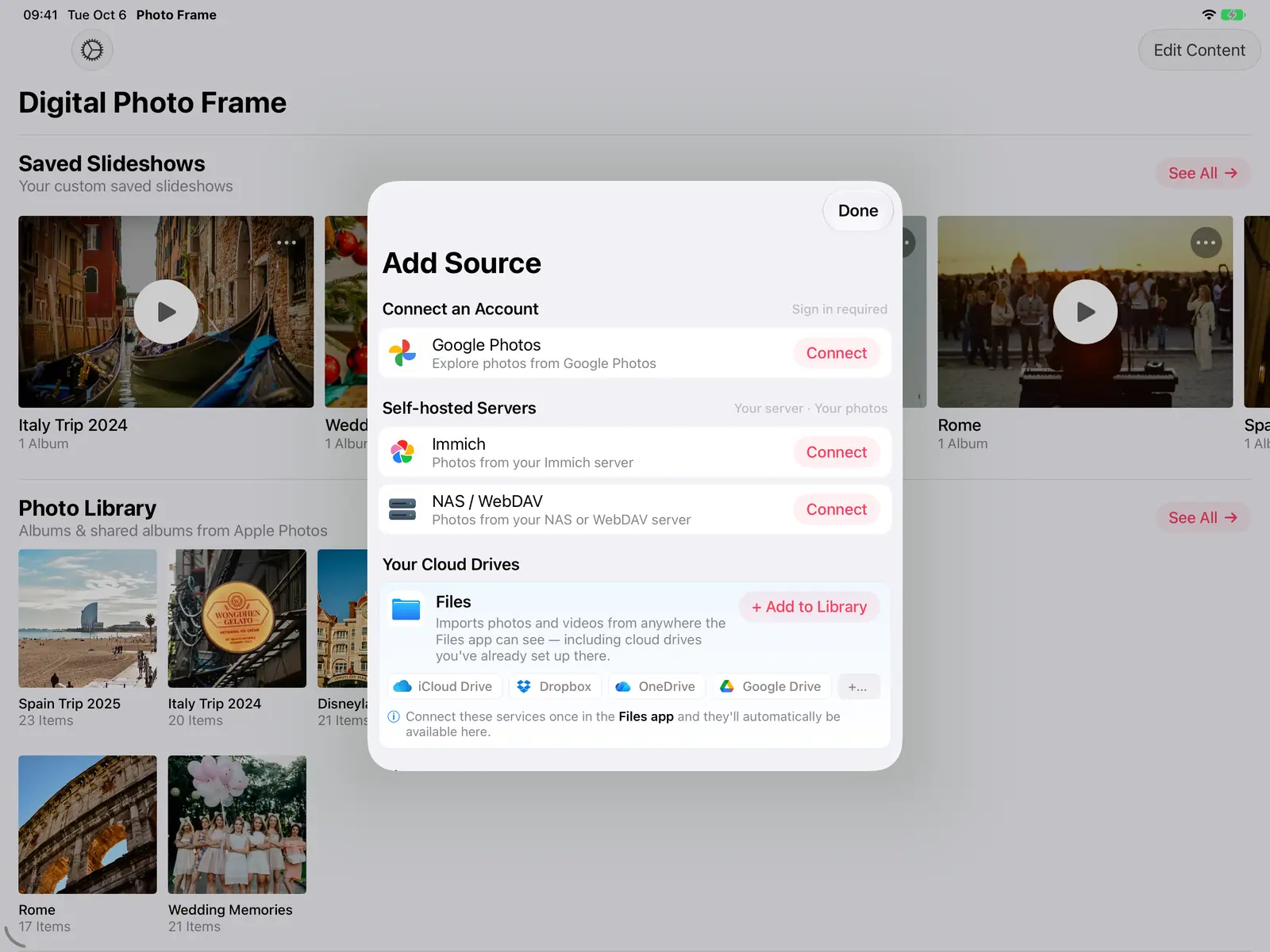
To show photos from somewhere else, open Add Source. You can connect Google Photos (you pick the photos in Google's own picker), an Immich server, a NAS or WebDAV server, or add folders from the Files app, which also covers iCloud Drive, Dropbox, OneDrive and Google Drive.
Or use an iCloud Shared Album so family members can add photos from their own iPhones. New photos in a shared album appear on the frame while the slideshow runs. More in digital photo frame for grandparents.
Step 2: Pick how it looks
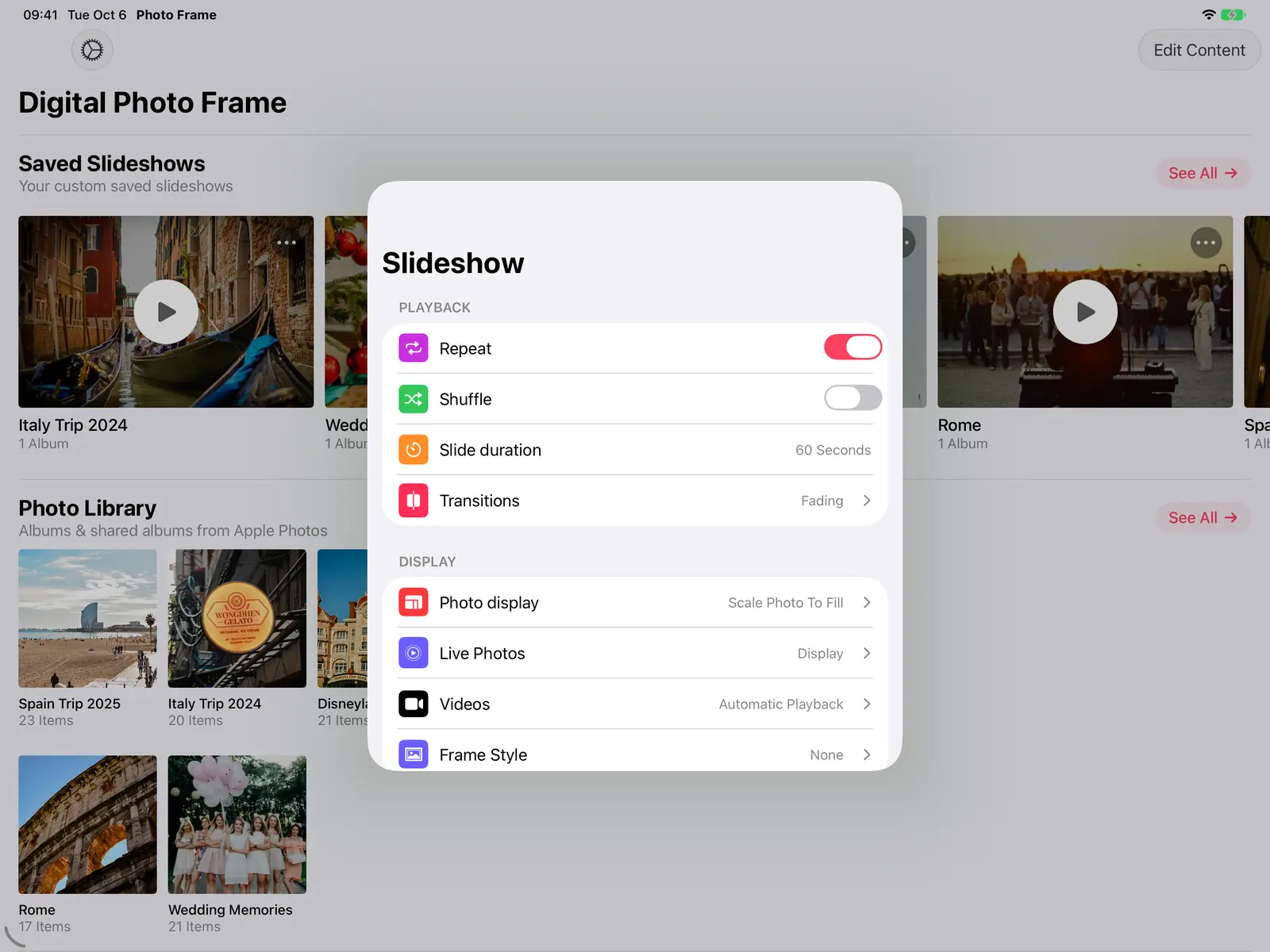
Open the slideshow settings to choose how long each photo stays on screen (Slide duration), the Transitions, and whether photos repeat or shuffle. For a frame on a shelf, 30 to 60 seconds per photo with a gentle fade feels calm rather than busy.
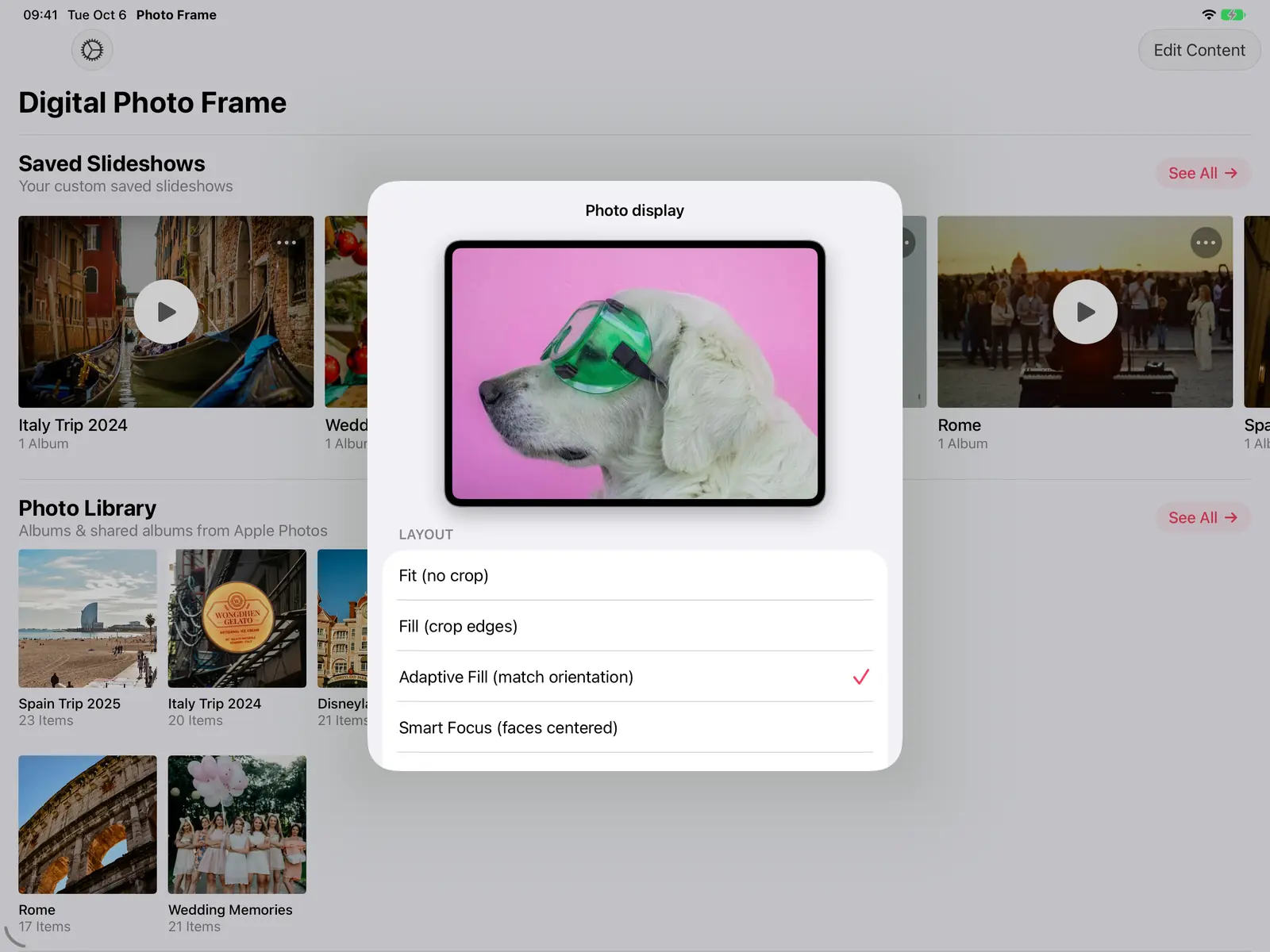
Under Photo display, choose how photos fill the screen. Adaptive Fill (match orientation) is the one I recommend for a frame: photos that match how the iPad is turned fill the screen, and the others are shown whole instead of being heavily cropped. Smart Focus keeps faces in view when a photo has to be cropped.
To see exactly how much of your photos would be cropped on your iPad, try our photo aspect ratio calculator.
You can also turn on the weather, date and time, or a photo's place and date, and add a mat board or white border so photos look like framed prints.
Step 3: Save it and make it start by itself
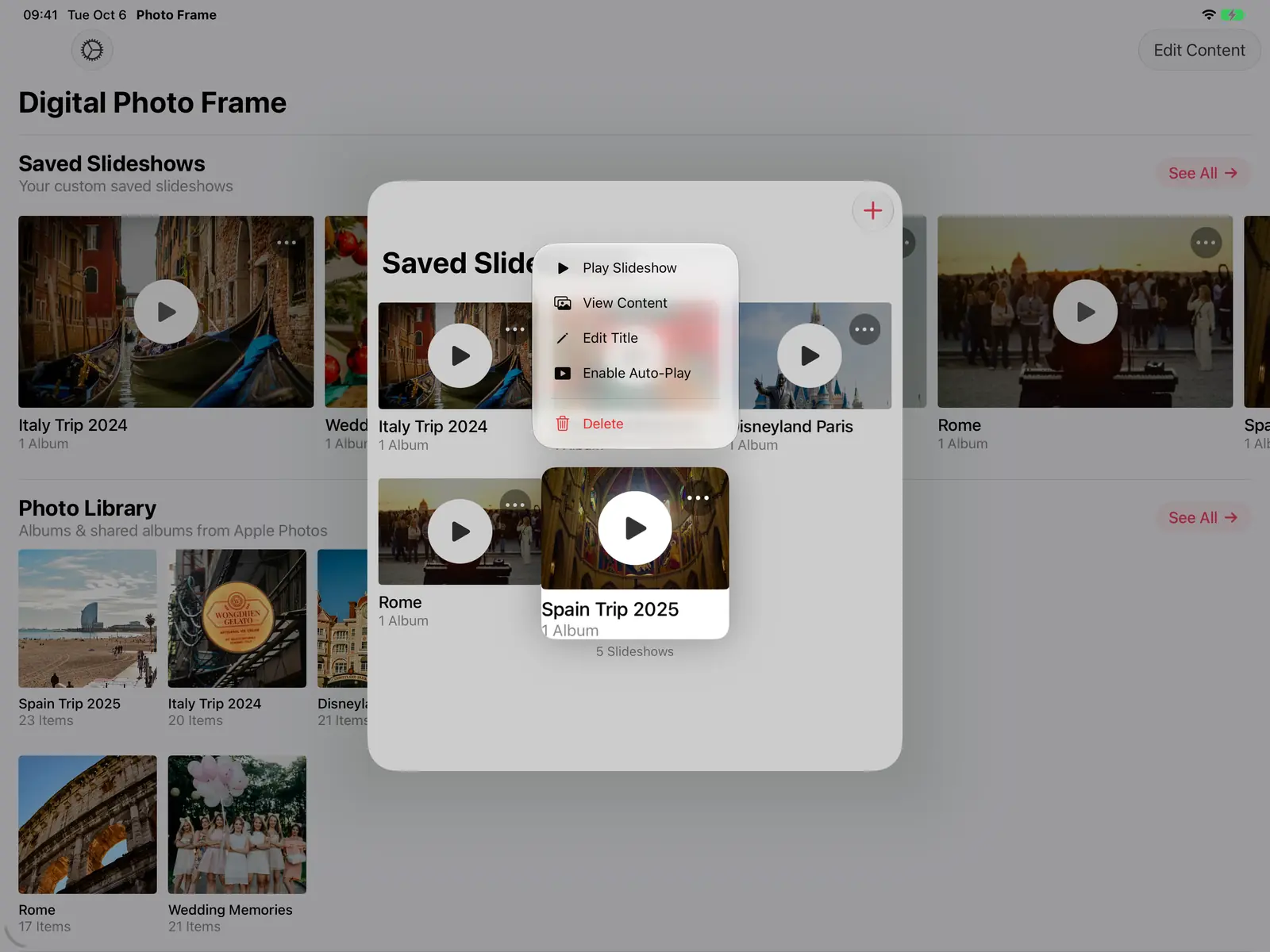
Save your selection as a slideshow. Then open the slideshow's menu and choose Enable Auto-Play, so the slideshow starts on its own whenever the app opens.
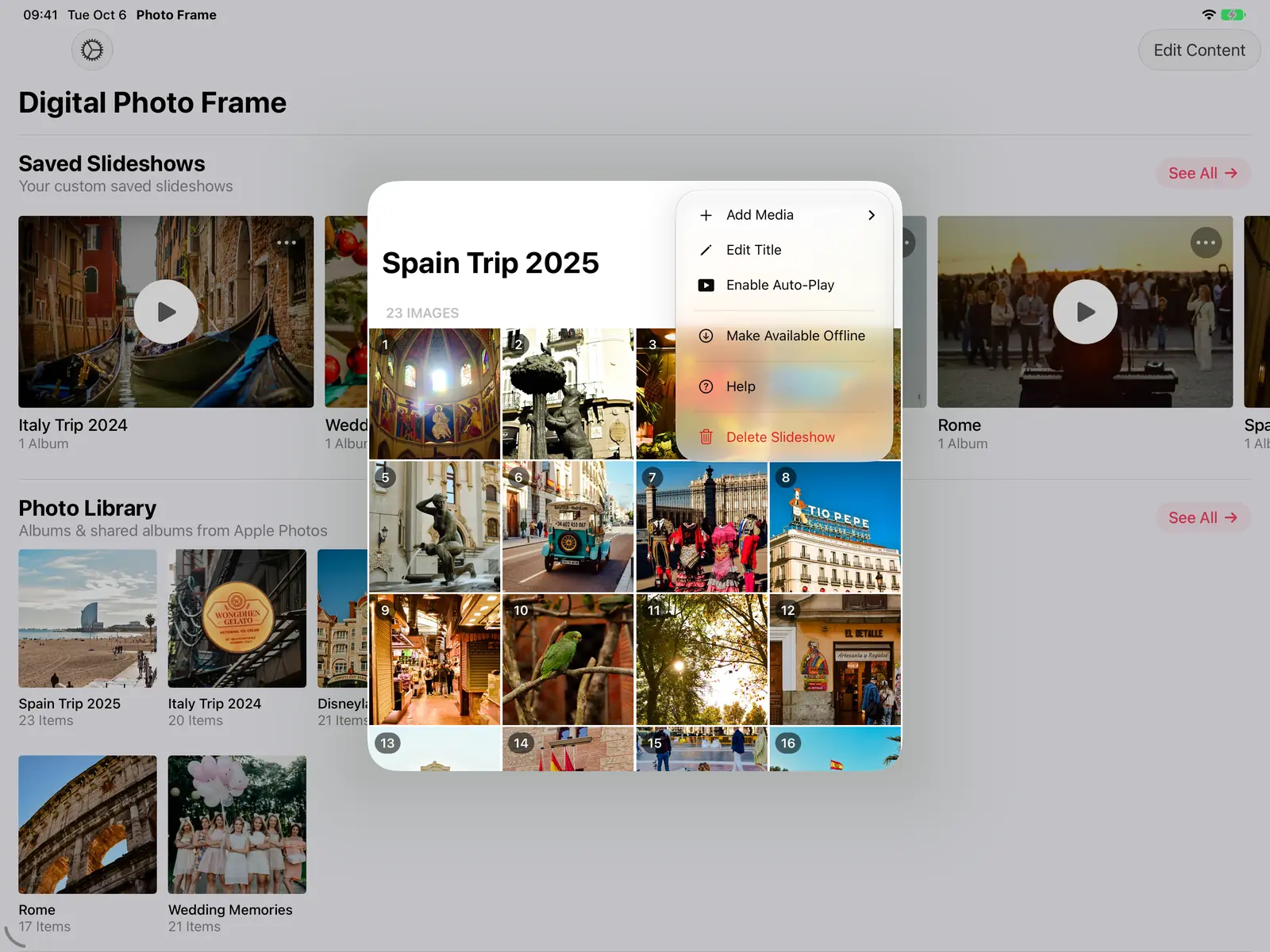
If the iPad will sit somewhere with poor Wi-Fi, open the saved slideshow and choose Make Available Offline. The app downloads the photos at the right size for the screen, and the slideshow then plays without a connection.
Step 4: Keep the screen on
The app keeps the screen awake while a slideshow plays. To be safe, also open the iPad's Settings, Display & Brightness, Auto-Lock and choose Never, and keep the iPad on its charger.
If the screen still turns off, check for a work or school email account: these can force a lock time that overrides Auto-Lock.
Step 5: Let it sleep at night
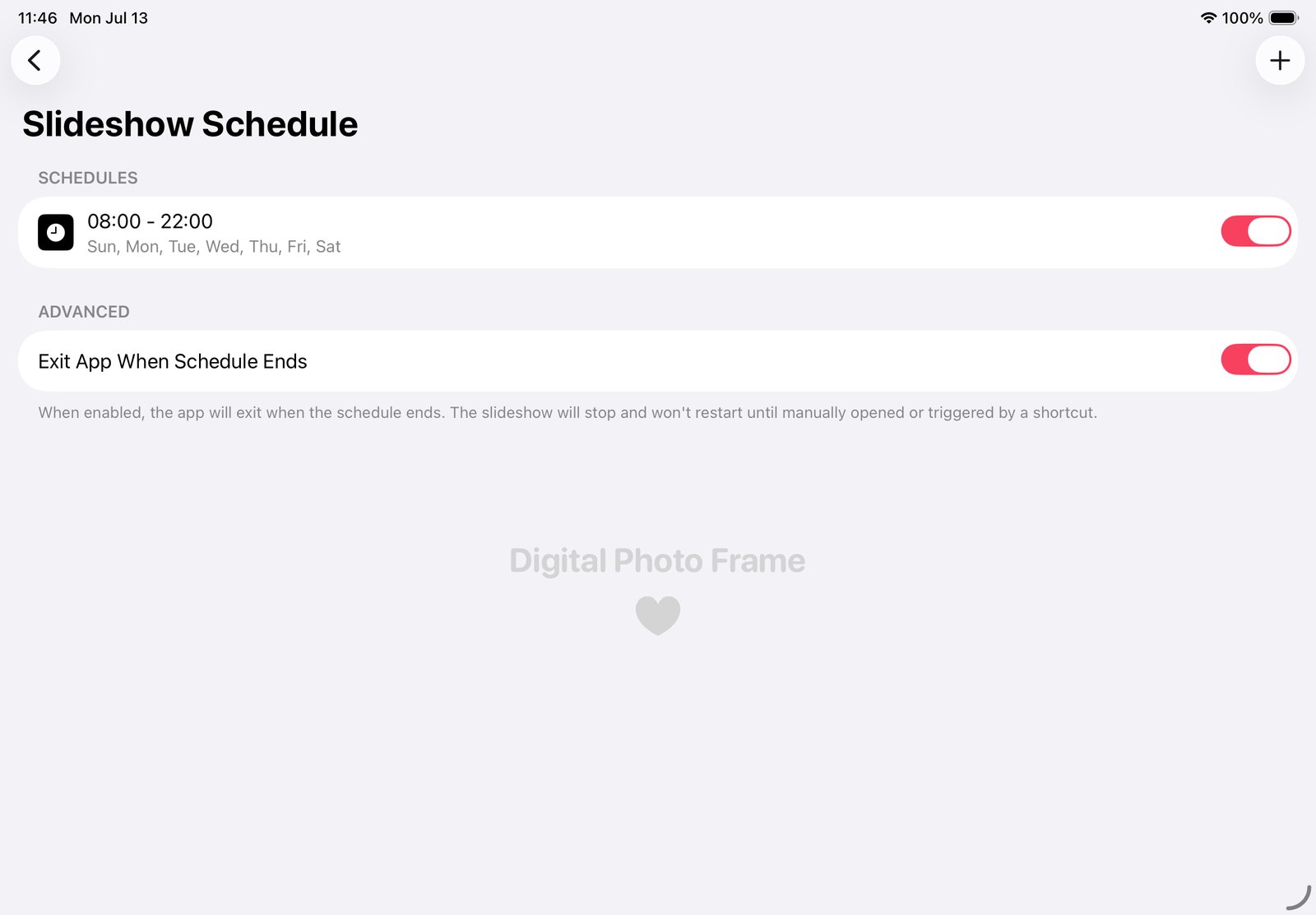
A photo frame doesn't need to glow all night. In the app, open Slideshow Schedule, set the hours you want photos on screen and the days, and turn on Exit App When Schedule Ends so the iPad locks and goes fully dark at night.
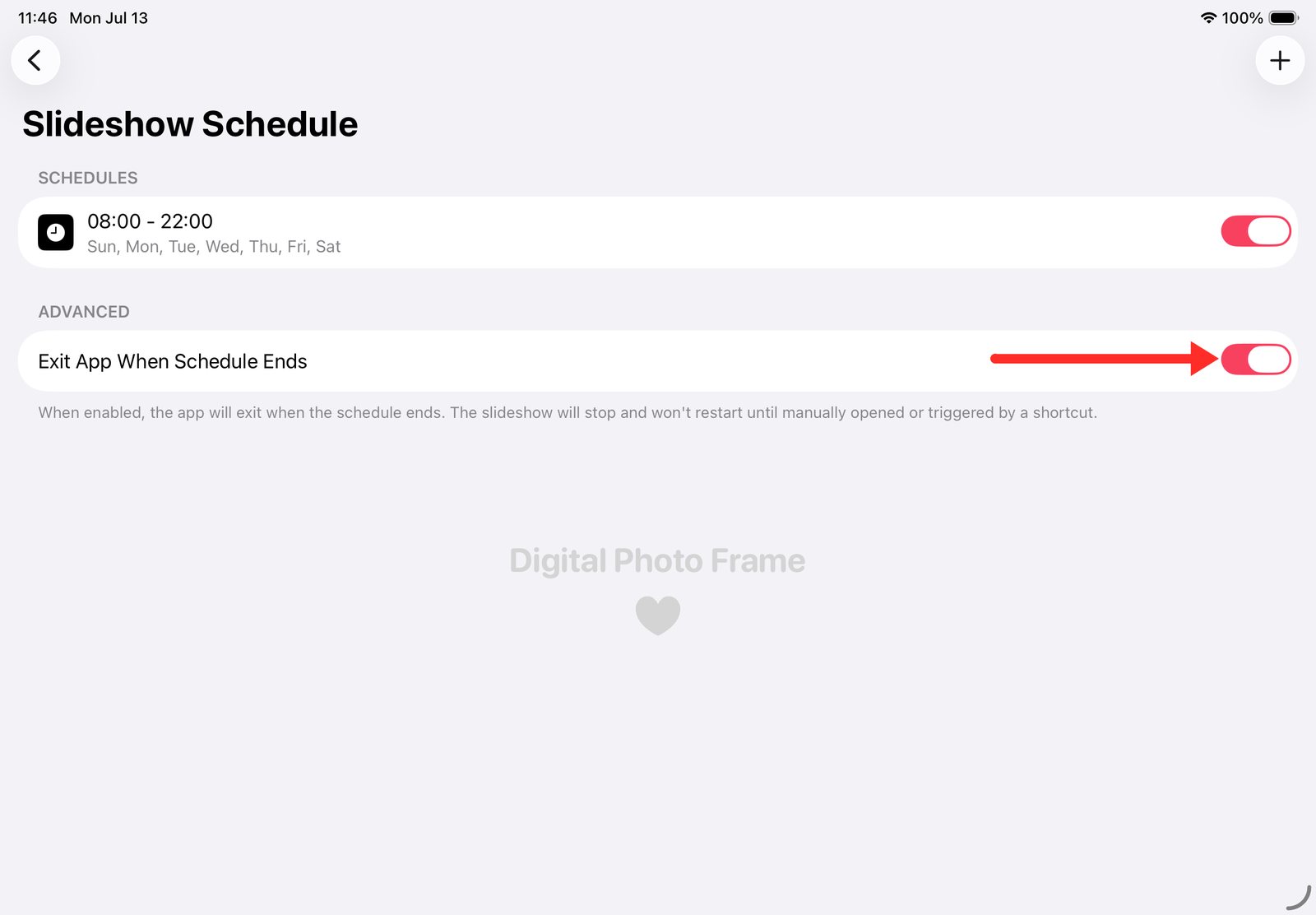
Apple doesn't let an app wake an iPad by itself, so a free Shortcuts automation starts the slideshow again every morning. The full step-by-step is in how to run a slideshow by day and let your iPad sleep at night.
Step 6: Make it hands-off for others
If the frame is for parents, grandparents or a busy kitchen, two settings help:
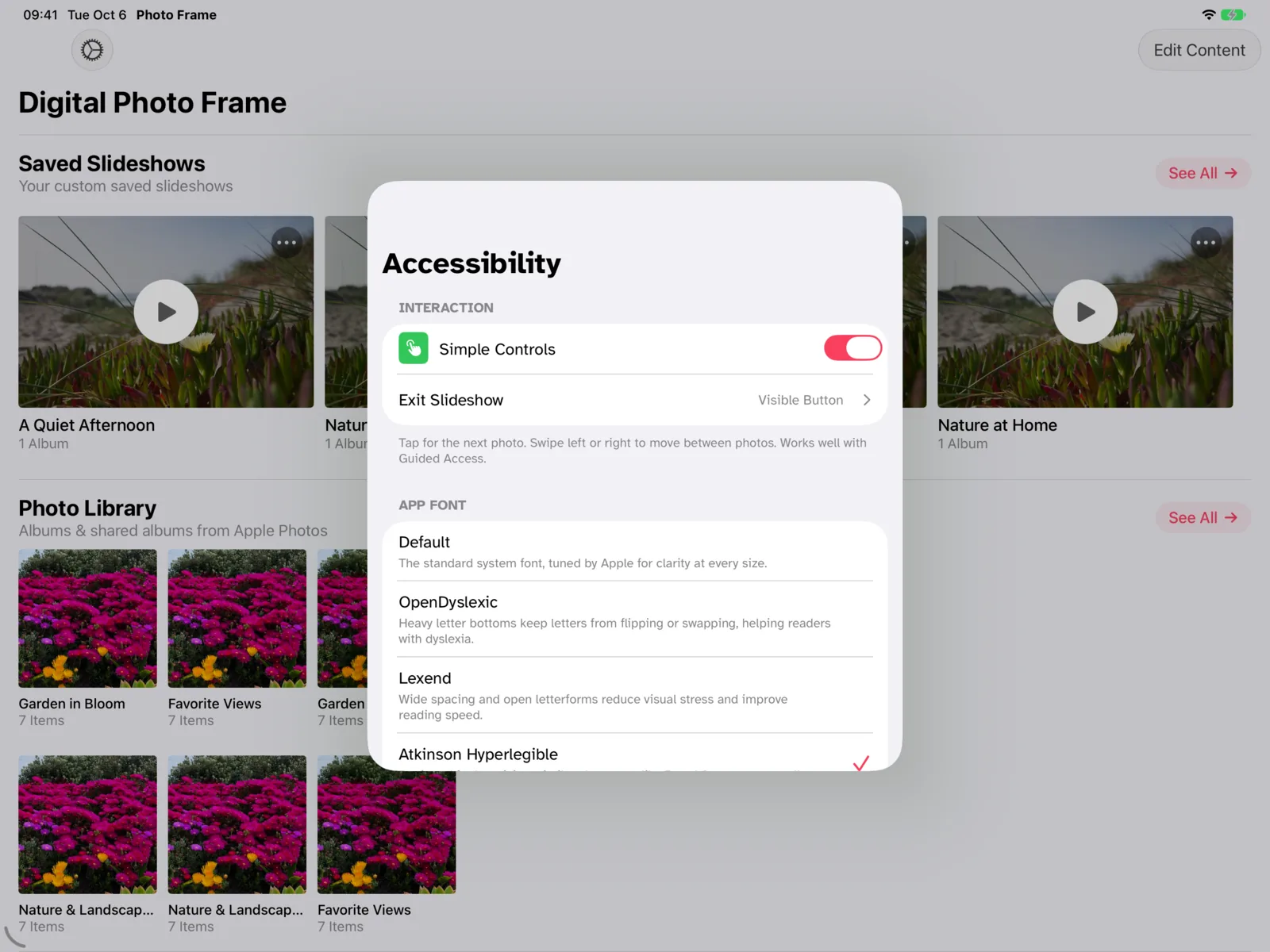
- Simple Controls (in Accessibility): a tap shows the next photo, so nothing gets paused or changed by accident. You choose how to leave the slideshow, for example a visible Exit Slideshow button. The same screen offers easier-to-read fonts such as Atkinson Hyperlegible.
- Configure Passcode: set a PIN so nobody can stop the slideshow or change settings without it.
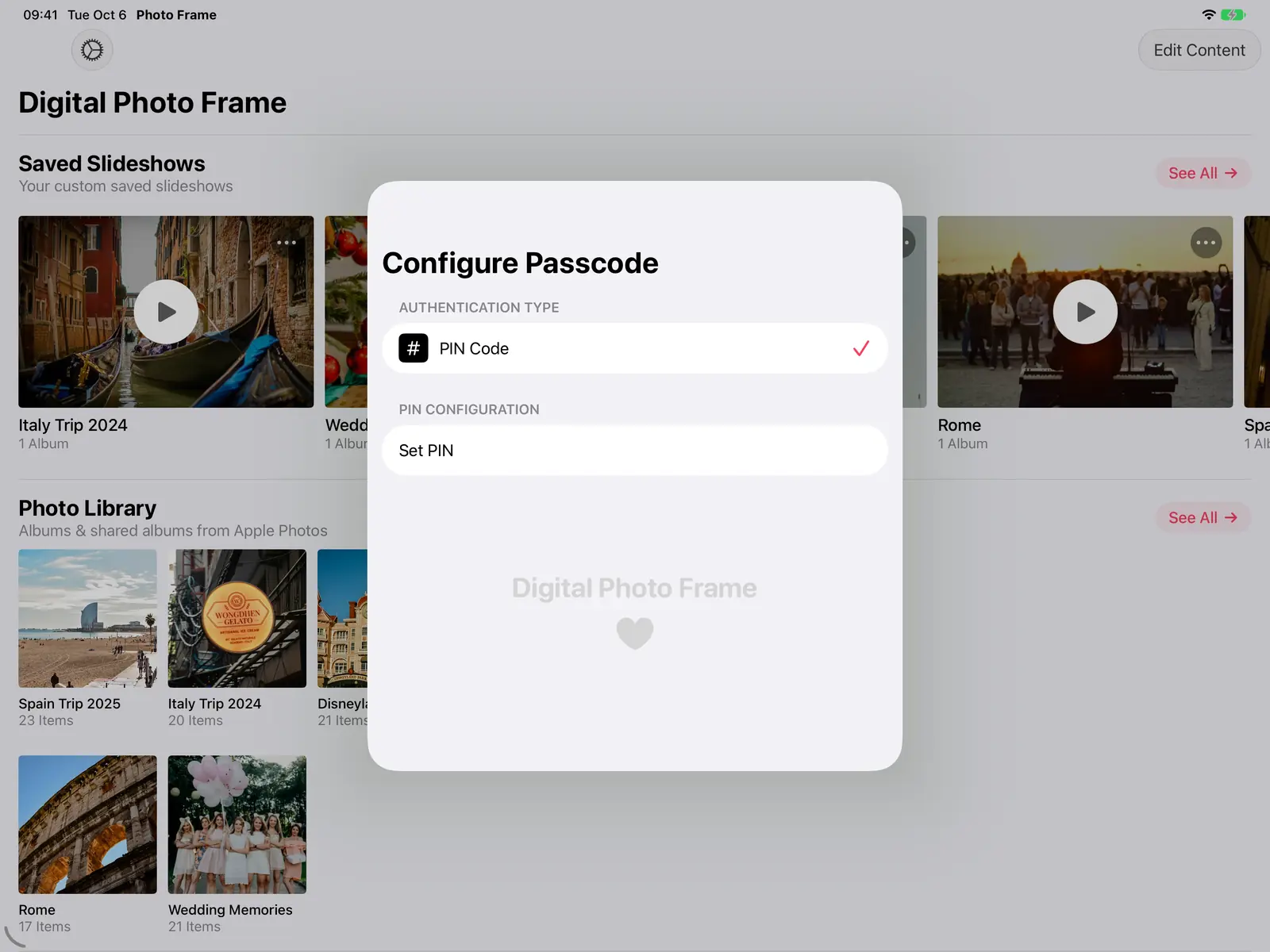
To stop anyone leaving the app altogether, use Apple's Guided Access: see how to lock your iPad into a single app.
Where to put it
Pick a spot near a power outlet where people pass every day: a kitchen counter, a hallway shelf, a desk. A simple tablet stand works; avoid direct sunlight on the screen. If you mostly use the iPad in landscape, Adaptive Fill keeps portrait photos whole.

What to know before you start
- It needs power. An iPad frame should stay plugged in.
- Google Photos works differently. Since Google's 2025 changes, apps can only use the photos you pick, so new photos in a Google Photos album won't appear by themselves. For a frame that updates on its own, use an iCloud Shared Album.
- Waking up needs Shortcuts. The app can quit at night, but only a Shortcuts automation can start it again in the morning.
iPad or a new photo frame?
If you're still deciding, iPad vs dedicated photo frames compares the two, and Frameo vs Aura vs Skylight covers the three most popular frames, including when one of them is the better buy.
Frequently asked questions
Can an old iPad be used as a digital photo frame?
Yes. Any iPad that runs iPadOS 15 or later works with Digital Photo Frame App, including the iPad Air 2 (2014) and iPad mini 4 (2015).
Does the iPad need Wi-Fi?
Only to get new photos from the cloud and for the weather. A saved slideshow set to Make Available Offline plays without a connection.
Can family add photos to the frame from far away?
Yes, with an iCloud Shared Album: photos they add from their iPhone, iPad or Mac appear on the frame while the slideshow runs.
Can I use the same app on Apple TV or a Mac?
Yes. The app also runs on iPhone, Mac and Apple TV. See Apple TV photo frame and Mac photo frame.
How much does it cost?
The app is free to download. Premium is $2.99 a month, $19.99 a year with a 7-day free trial, or $69.99 once (US prices), and it works with Family Sharing.
Questions about your setup? Write to me.
 Share on Facebook
 Share on X
Keep reading
All posts →
Guides How to Lock an iPad to One App (Guided Access)
Lock an iPad or iPhone to one app with Guided Access, step by step, so kids, guests or grandparents can't leave it. Ide…
 Guides iPad Photo Frame: Slideshow by Day, Sleep at Night
Make your iPad photo frame show photos by day, go dark at night and start again each morning, with the app's schedule a…
Guides iPad Photo Frame: Slideshow by Day, Sleep at Night
Make your iPad photo frame show photos by day, go dark at night and start again each morning, with the app's schedule a…
 Guides 5 Clever Ways to Reuse an Old iPad
Five useful ways to reuse an old iPad: a digital photo frame, a kitchen recipe screen, a camera monitor, a reading devi…
Guides 5 Clever Ways to Reuse an Old iPad
Five useful ways to reuse an old iPad: a digital photo frame, a kitchen recipe screen, a camera monitor, a reading devi…
 Download Now
