

What it does on the Mac
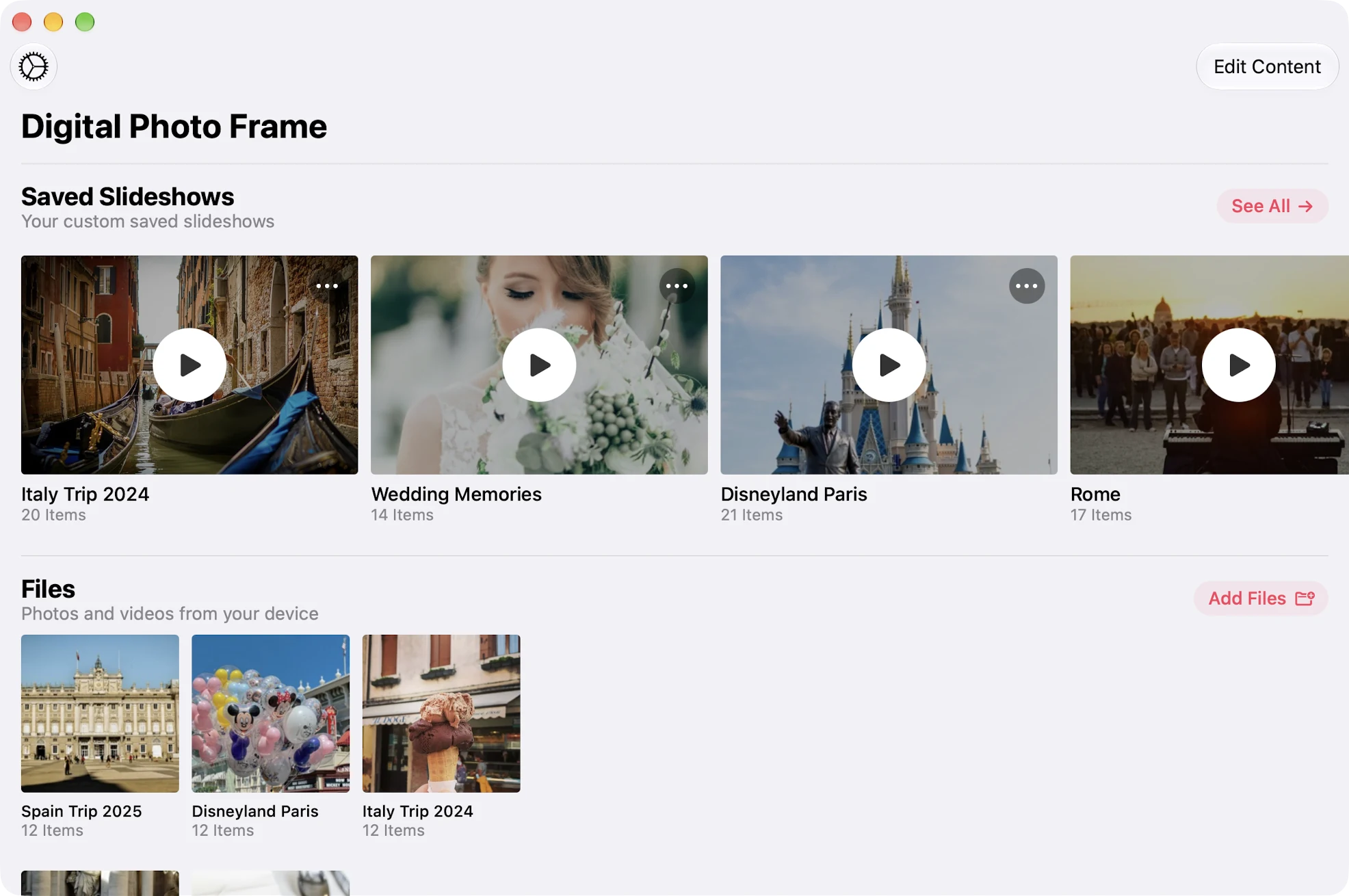
A window or the whole screen
Keep a slideshow in its own window beside your work, move it to a second display, or take over the whole screen. It is a real Mac app with keyboard controls, not an iPad app squeezed onto a desktop.
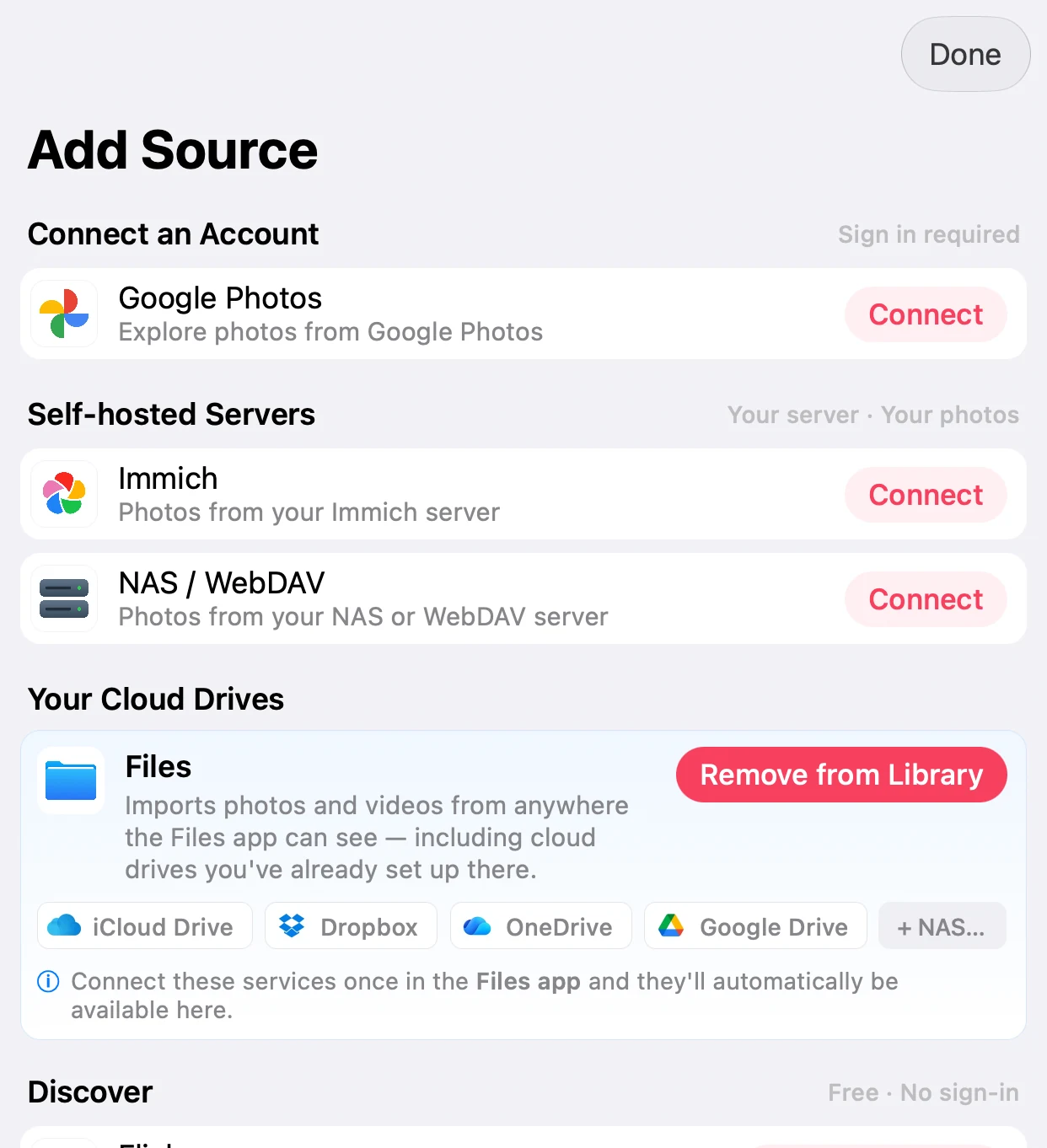
Your photos, wherever they live
Add Source connects Google Photos, an Immich server and a NAS or WebDAV server, and the Files source can use folders on your Mac, including iCloud Drive, Dropbox and Google Drive folders.

Two portraits side by side
On a wide Mac screen, a single portrait photo leaves a lot of empty space. Combine Photos (Collage) shows two portrait photos side by side instead.
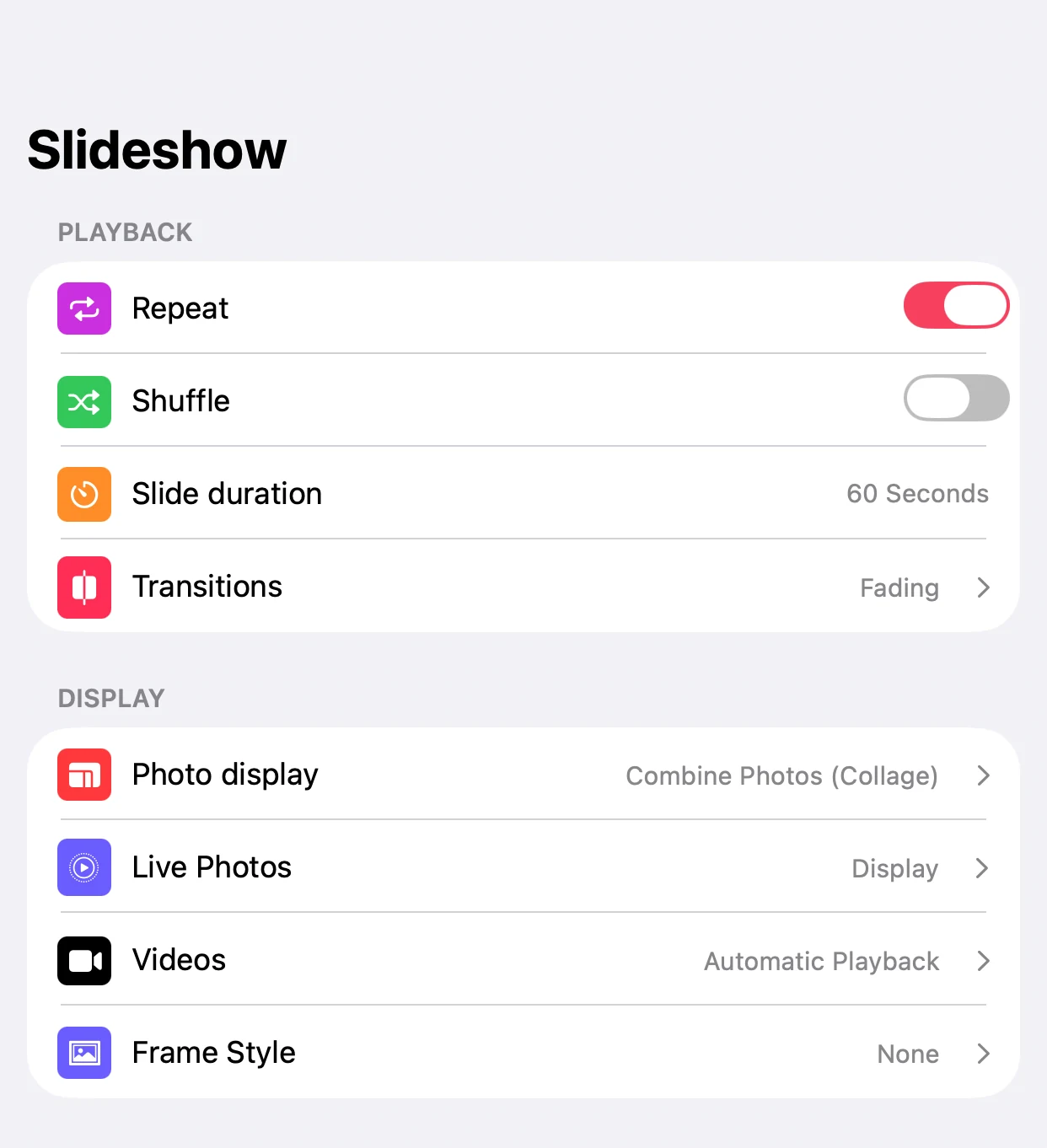
No screen saver in the way
Turn on Prevent Mac Screen Saver and macOS keeps the screen saver away while a slideshow plays. Add background music from curated tracks or your own library, with a music picker made for the Mac.
Set it up in three steps
Install and pick photos
Install the app from the Mac App Store, allow access to your photos, and choose an album, a folder or a source like Immich.
Choose where it plays
Play in a window, drag it to a second display, or go full screen.
Keep it running
Turn on Prevent Mac Screen Saver and, in System Settings, stop the display from sleeping on a Mac used as a frame.
- The app keeps the screen saver away, but your Mac's own display sleep setting still applies. On a dedicated frame, set it to never.
- Google Photos works through Google's own picker since 2025, so new photos in a Google album don't appear by themselves. iCloud shared albums do.
- Slideshows are set up on each device. They don't sync between your Mac, iPhone, iPad and Apple TV.
Frequently Asked Questions
Which Macs are supported?
Any Mac running macOS 12 Monterey or later, with an Intel or Apple silicon chip. Older iMacs make great dedicated frames.
Can I use a folder of photos on my Mac?
Yes. The Files source can use any folder, including iCloud Drive, Dropbox or Google Drive folders on your Mac.
Does the slideshow work on a second monitor?
Yes. Move the window to any connected display and play it there, full screen if you like, while you keep working on the main one.
Will the screen saver interrupt the slideshow?
Not if you turn on Prevent Mac Screen Saver. macOS then keeps the screen saver away while a slideshow plays.
How much does it cost?
The app is free to download. Premium is $2.99 a month, $19.99 a year with a 7-day free trial, or $69.99 once (US prices), and works with Family Sharing.