Live Photos and Videos in a Photo Frame Slideshow
Turn your iPad or Apple TV into a video and live photo frame: play Live Photos and videos in the slideshow, with or without sound, and export it as a video.

September 14, 2025 by Manuel Escrig · 3 min read
Updated October 2026

Most photo frames show still pictures. But your phone is full of moments that move: Live Photos that capture the seconds around a shot, and short videos of first steps, birthday candles and waves. Digital Photo Frame App plays them in the slideshow next to your photos, so an iPad or Apple TV becomes a video photo frame and a live photo frame in one. Here's how to set it up.
I'm a dad of three, and a lot of what's on our phones moves: Live Photos and short videos. Here's how to let them play on the frame.
- Turn on Display Live Photos and Display Videos in the slideshow settings.
- Play Audio and Automatic Playback decide how they play.
- Live Photos move when they come from your photo library or iCloud; other sources show them as stills.
- Background music fades down while a video or Live Photo plays with sound.
- Export any slideshow as a video, with your clips and their sound.
Live Photos
Open the slideshow settings and tap Live Photos:
- Display Live Photos turns them on.
- Play Audio decides whether you hear the sound recorded with them.
- Automatic Playback chooses what happens when a Live Photo appears: Off shows it as a still photo, Once plays the moment once, and Loop keeps it playing while it's on screen.
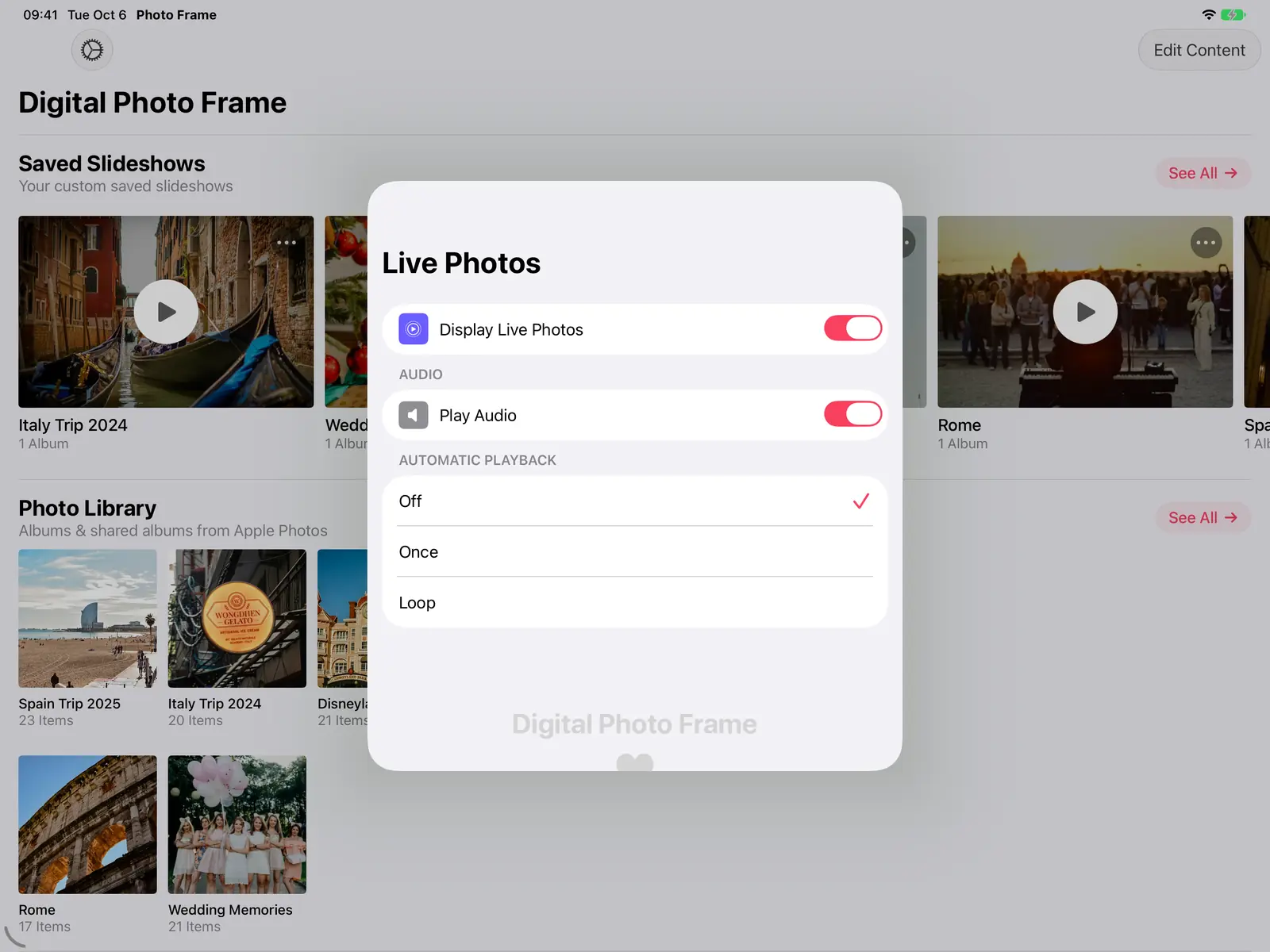
Live Photos play from your photo library and iCloud Photos. Photos from other sources are shown as stills.

Videos
Under Videos, turn on Display Videos, choose whether to Play Audio, and set Automatic Playback on or off.
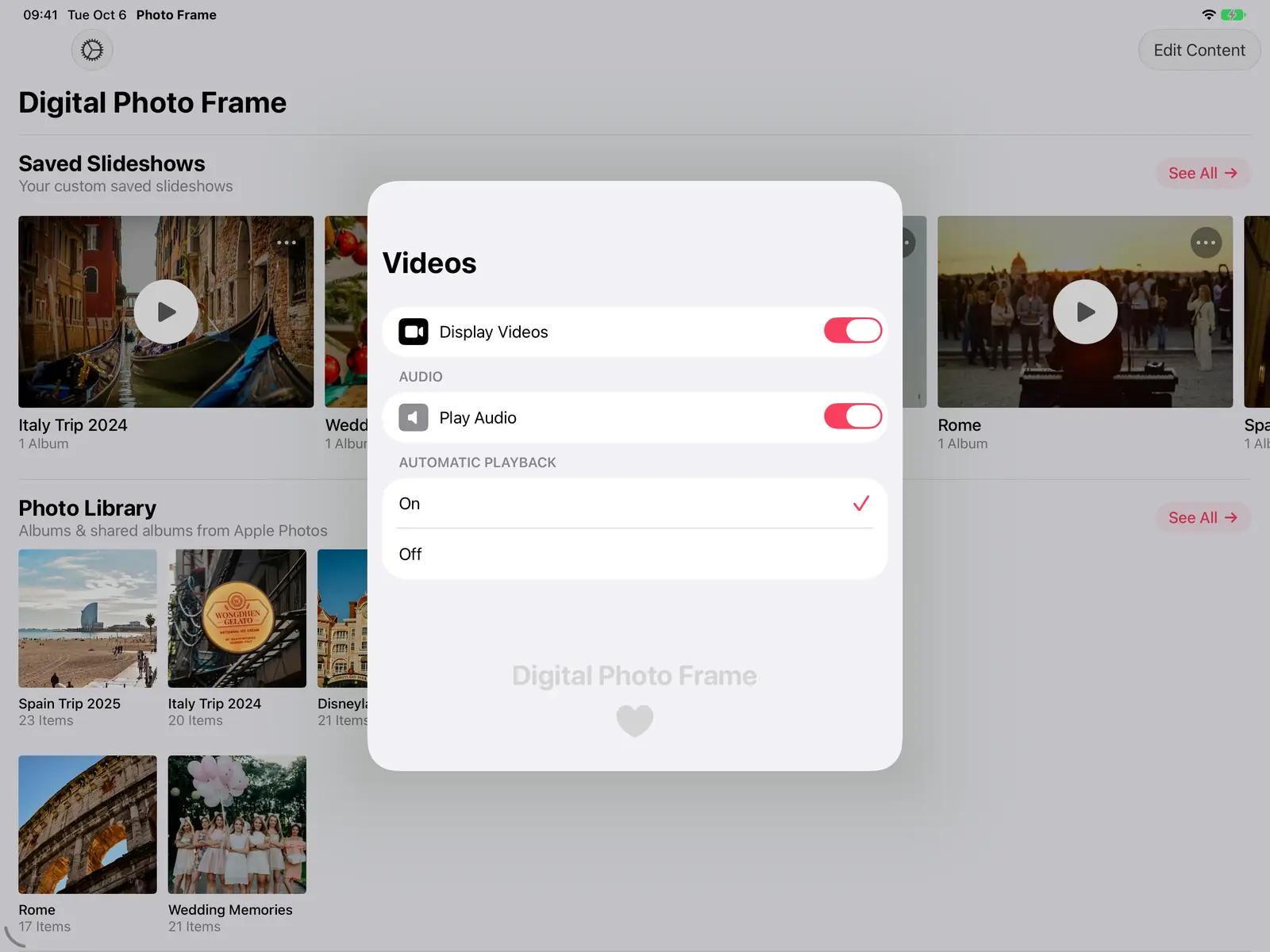
Videos can come from your photo library, iCloud shared albums, folders in the Files app, Immich, and NAS or WebDAV servers, which also covers formats like .mkv and .avi.
While the slideshow plays, the mute button in the top bar turns the sound of videos and Live Photos on or off. On iPhone it's in the ⋯ menu.
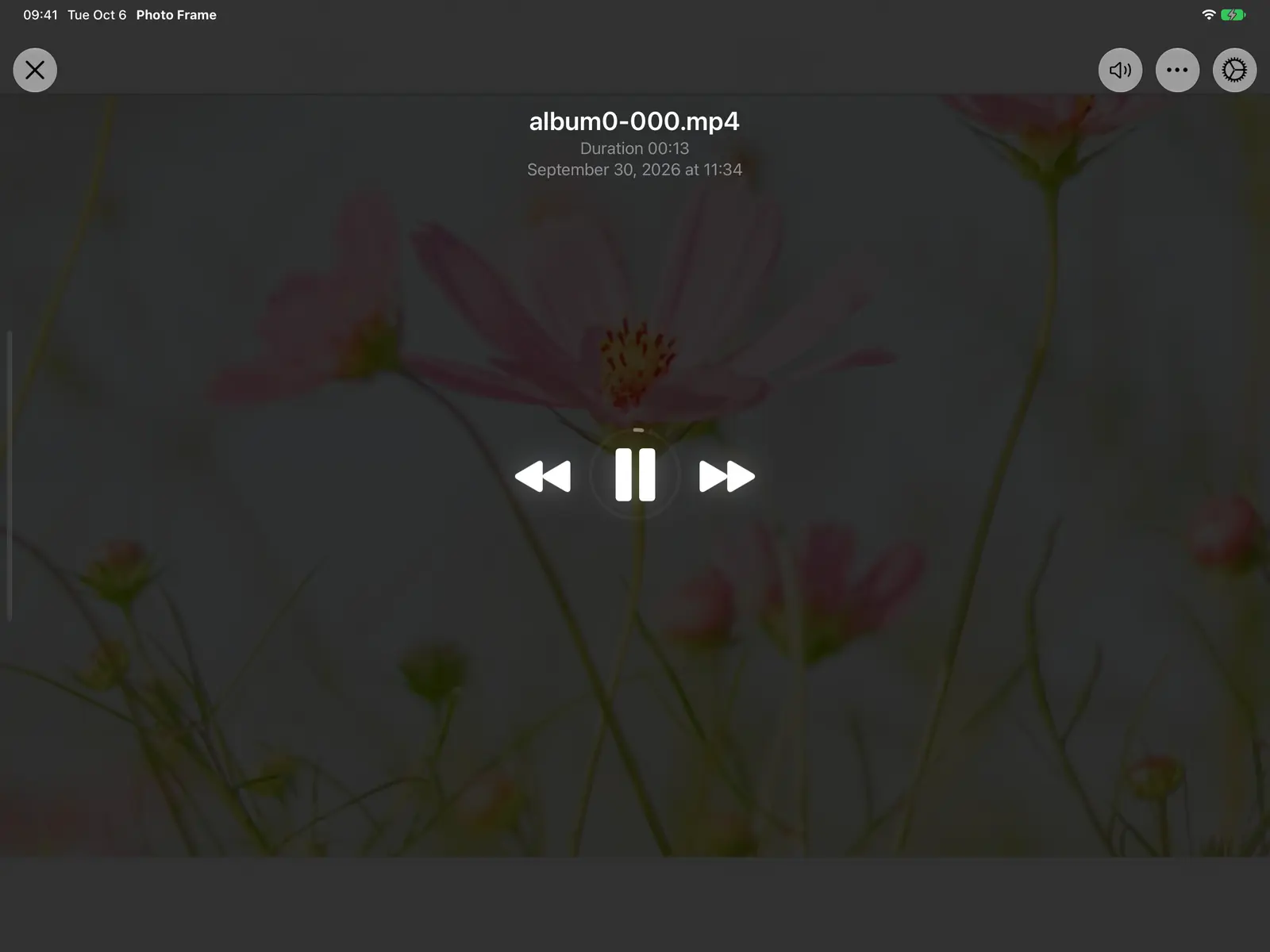
Music and video sound together
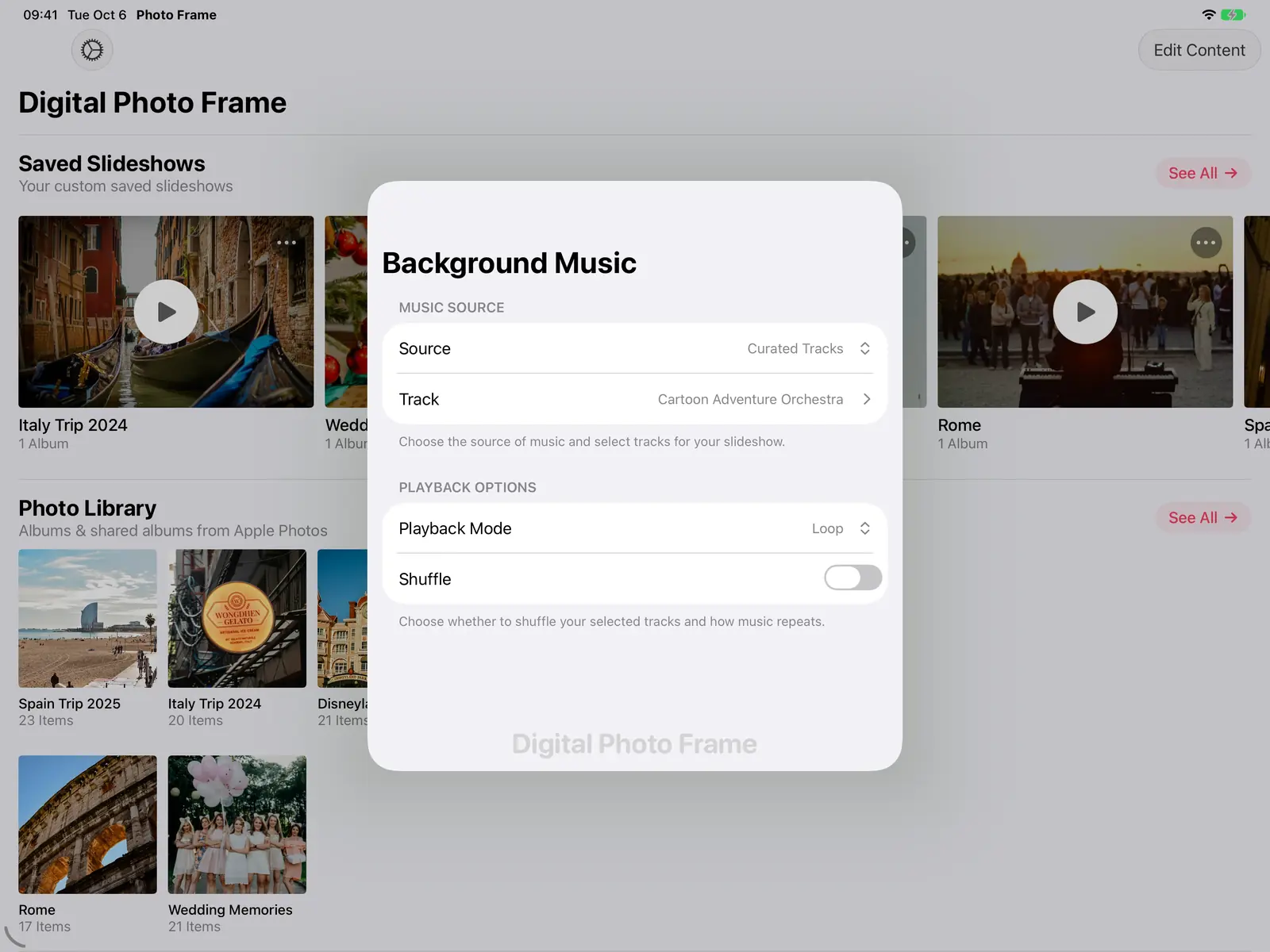
If the slideshow has background music, it fades down while a video or Live Photo plays with sound, then comes back. You hear the birthday song, not the playlist on top of it. More in adding music to your slideshow.
Only videos, or only photos
Sort & Filter can show only photos or only videos, so you can make a slideshow of just your videos, or leave them out of a quiet frame.
Share it as a video
Any slideshow can be exported as a video to send to family. Export Slideshow Options lets you choose the shape (Widescreen 16:9, Portrait 9:16 for phones, Square, 4:3, 3:4 or Original), the music, and whether to show each photo's title, date and place. The export includes your videos and Live Photos with their sound, mixed under the music.
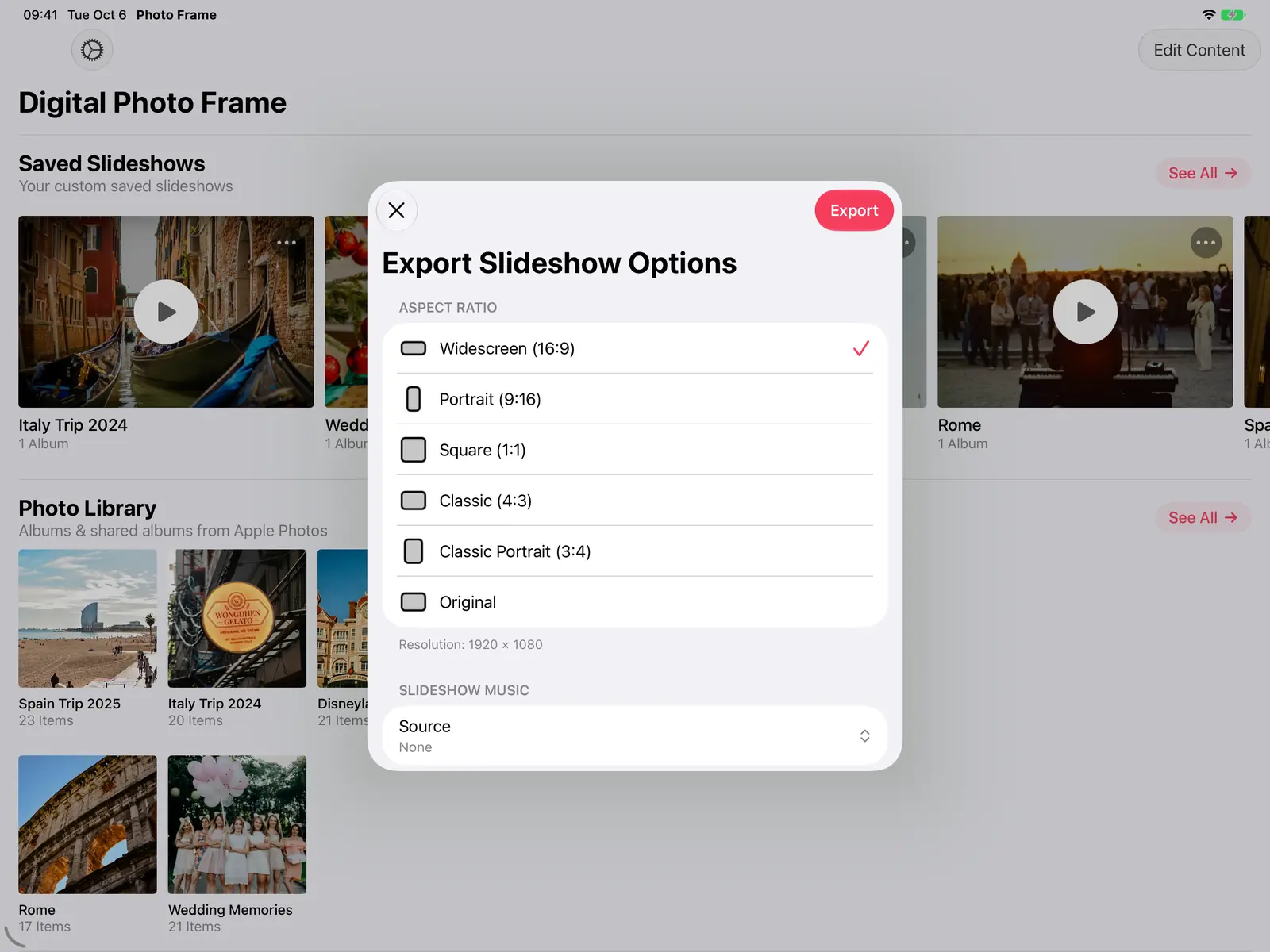
Songs from Apple Music that are copy-protected can't be included in an exported video; the app tells you when that happens.
Frequently asked questions
Can a digital photo frame play videos?
Many dedicated frames play only short clips: Aura up to 30 seconds, Frameo 15 seconds on the free plan (see Frameo vs Aura vs Skylight). An iPad or Apple TV with the app plays your videos alongside your photos, with sound if you want it.
Why does my Live Photo show as a still photo?
Check that Display Live Photos is on and Automatic Playback isn't set to Off. Live Photos only move when they come from your photo library or iCloud.
Can the frame play videos without sound?
Yes. Turn off Play Audio under Videos, or tap the mute button while the slideshow plays.
Do videos and Live Photos work on Apple TV?
Yes, they play in the Apple TV app too. See Apple TV photo frame.
 Share on Facebook
 Share on X
Keep reading
All posts → Guides Photo Frame with Clock and Weather on iPad
Show the time, date, weather, air quality, UV index and your calendar over a photo slideshow on iPad, iPhone, Mac or Ap…
Guides Photo Frame with Clock and Weather on iPad
Show the time, date, weather, air quality, UV index and your calendar over a photo slideshow on iPad, iPhone, Mac or Ap…
 Guides Slideshow Transition Effects for Your Photo Frame
Every slideshow transition in Digital Photo Frame App, from a gentle fade to Origami and Page Curl, plus Ken Burns moti…
Guides Slideshow Transition Effects for Your Photo Frame
Every slideshow transition in Digital Photo Frame App, from a gentle fade to Origami and Page Curl, plus Ken Burns moti…
 Guides Digital Photo Frame with Music: Add Songs to Slideshows
Add background music to your photo frame slideshow: built-in songs or your own library, with music that fades out for L…
Guides Digital Photo Frame with Music: Add Songs to Slideshows
Add background music to your photo frame slideshow: built-in songs or your own library, with music that fades out for L…
 Download Now
