Ask Siri About the Photo on Your Frame
Ask Siri when and where the photo on your frame was taken, bring back a memory from this day, and start a slideshow from Control Center or a widget.

September 27, 2026 by Manuel Escrig · 4 min read
Updated October 2026
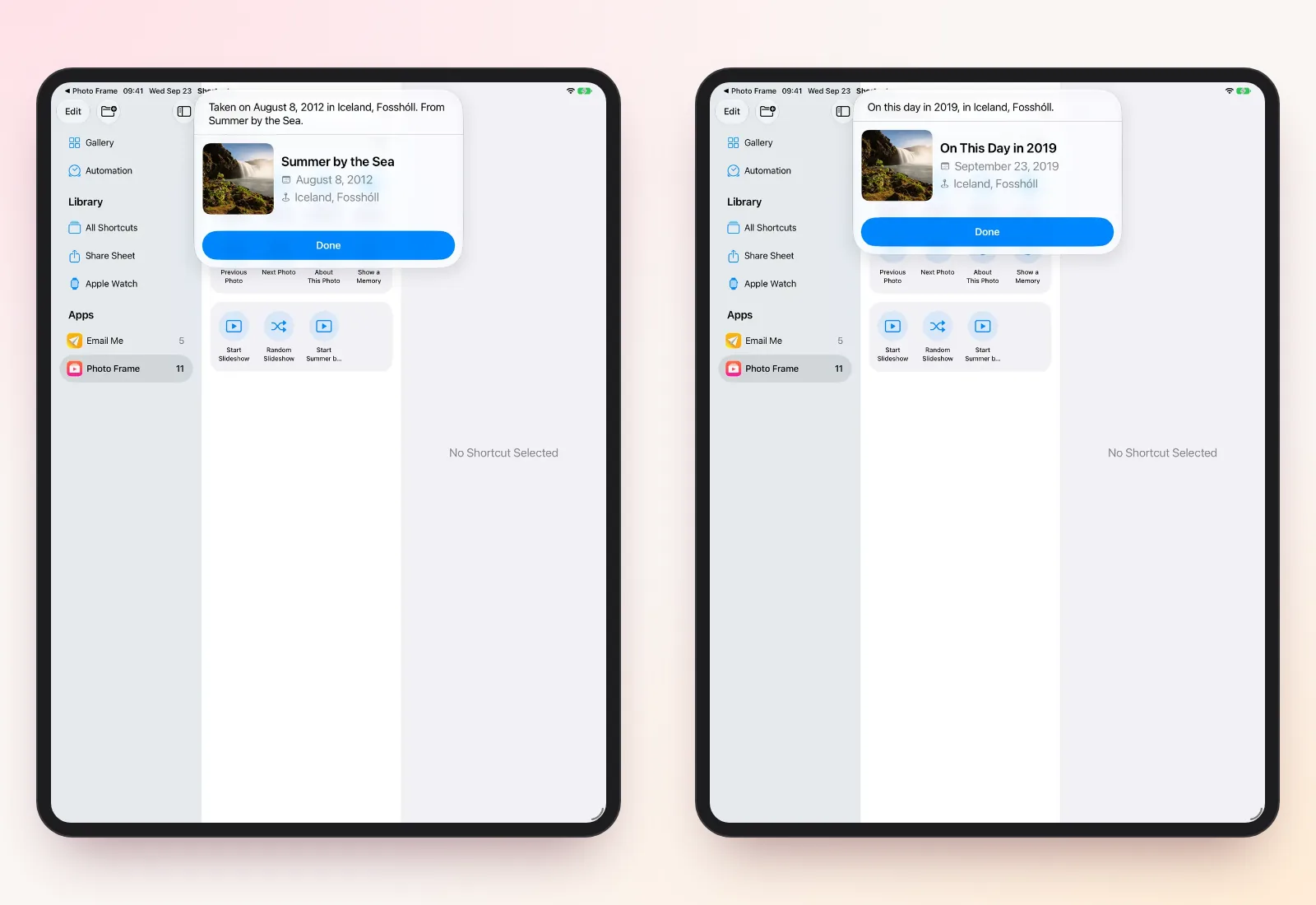
You can now ask Siri "When was this photo taken in Photo Frame?" while a photo is on your frame, and hear the date, the place and the album it came from. Version 6.27 of Digital Photo Frame App also adds a memory from this day in an earlier year, a one-tap Play Slideshow control and an extra-large slideshow widget.
I've been building this app since 2017, and the question I hear most when a frame is in a shared room is "where was that?". Now the frame can answer it.
- Say "When was this photo taken in Photo Frame?" or "Where was this photo taken in Photo Frame?" while a photo is showing.
- "Show a memory in Photo Frame" brings up a photo you took on this day in an earlier year.
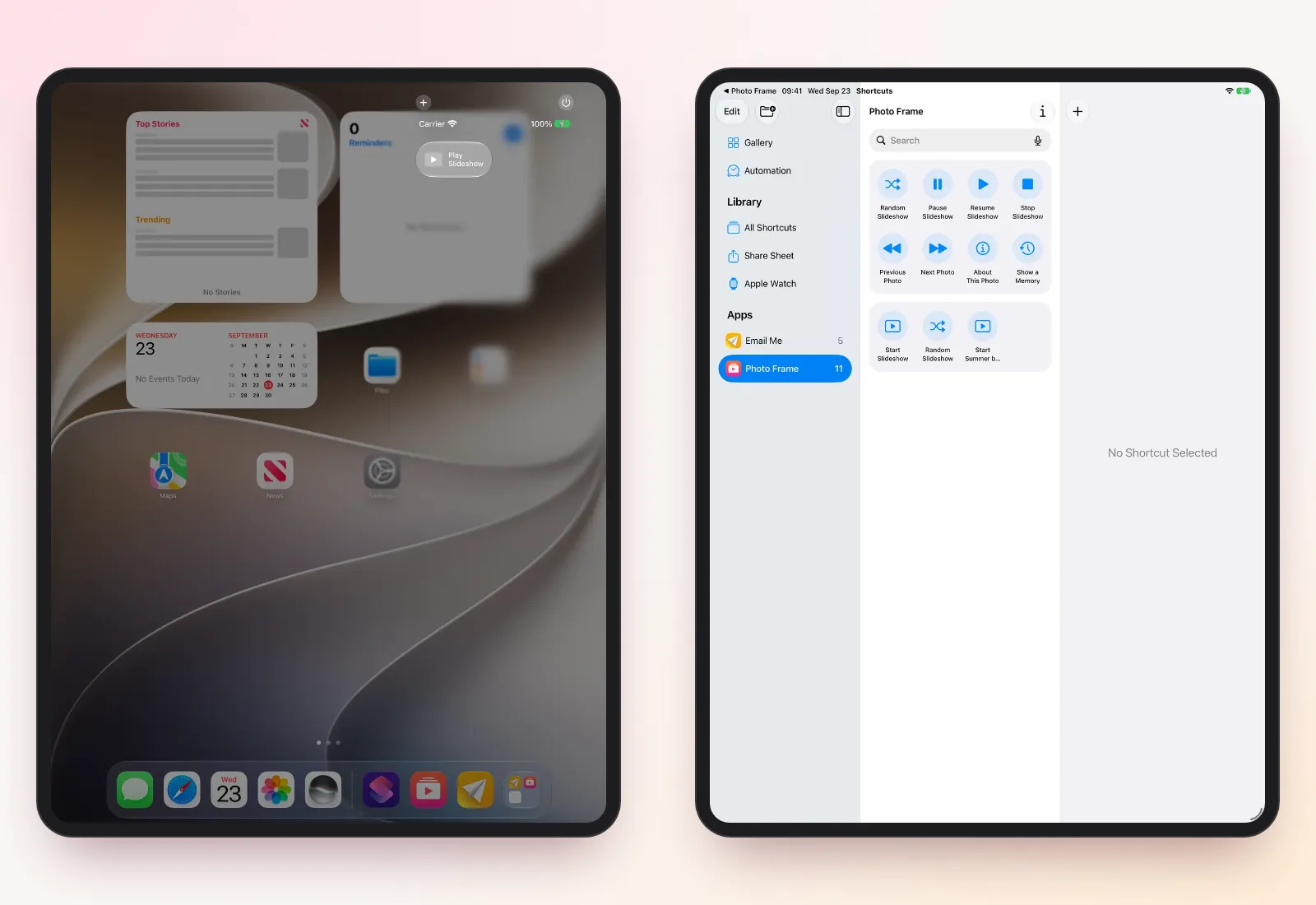
- The Play Slideshow control starts a saved slideshow from Control Center, the Lock Screen or the Action button (iOS 18 or later).
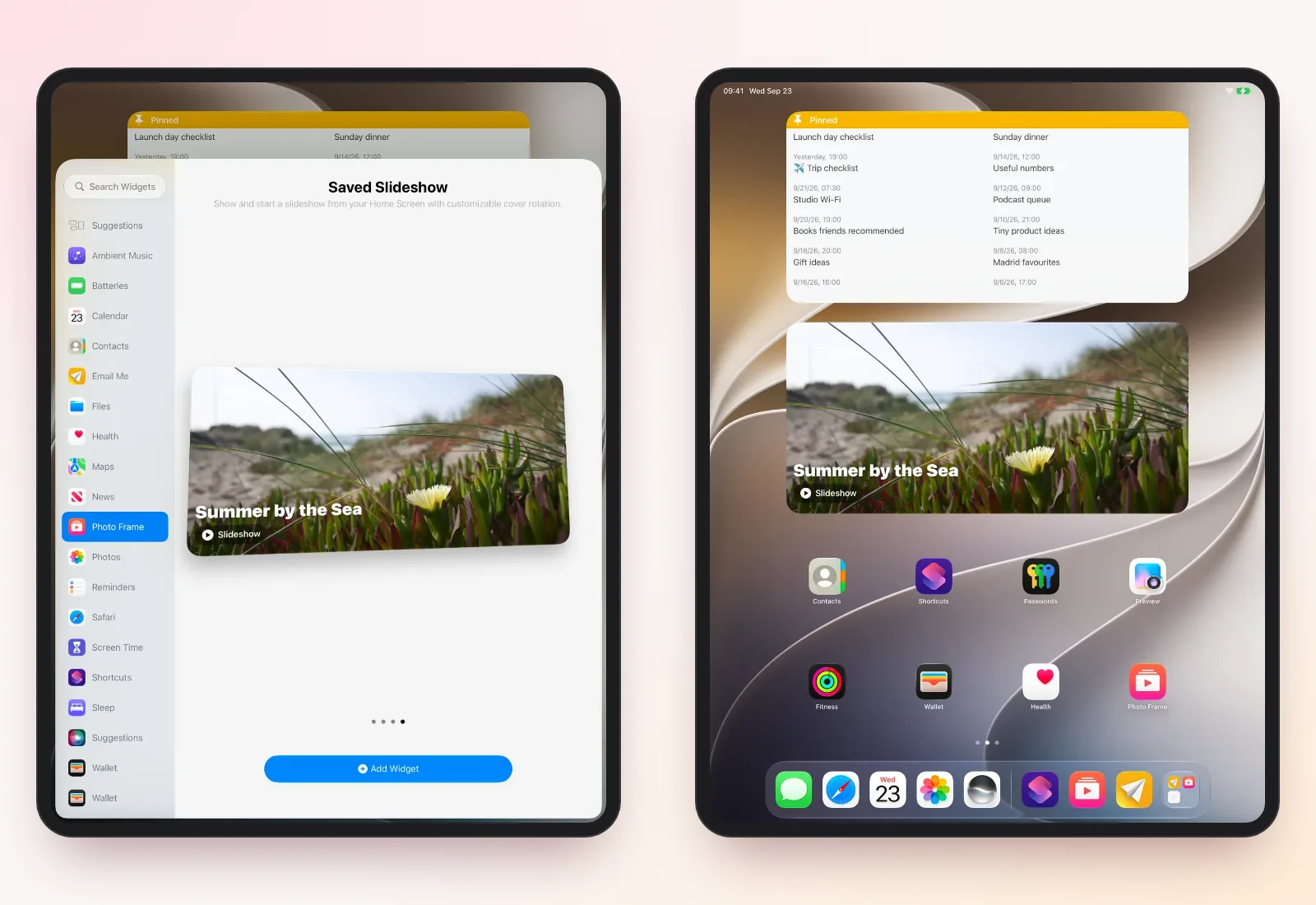
- The slideshow widget now comes in extra large on iPad.
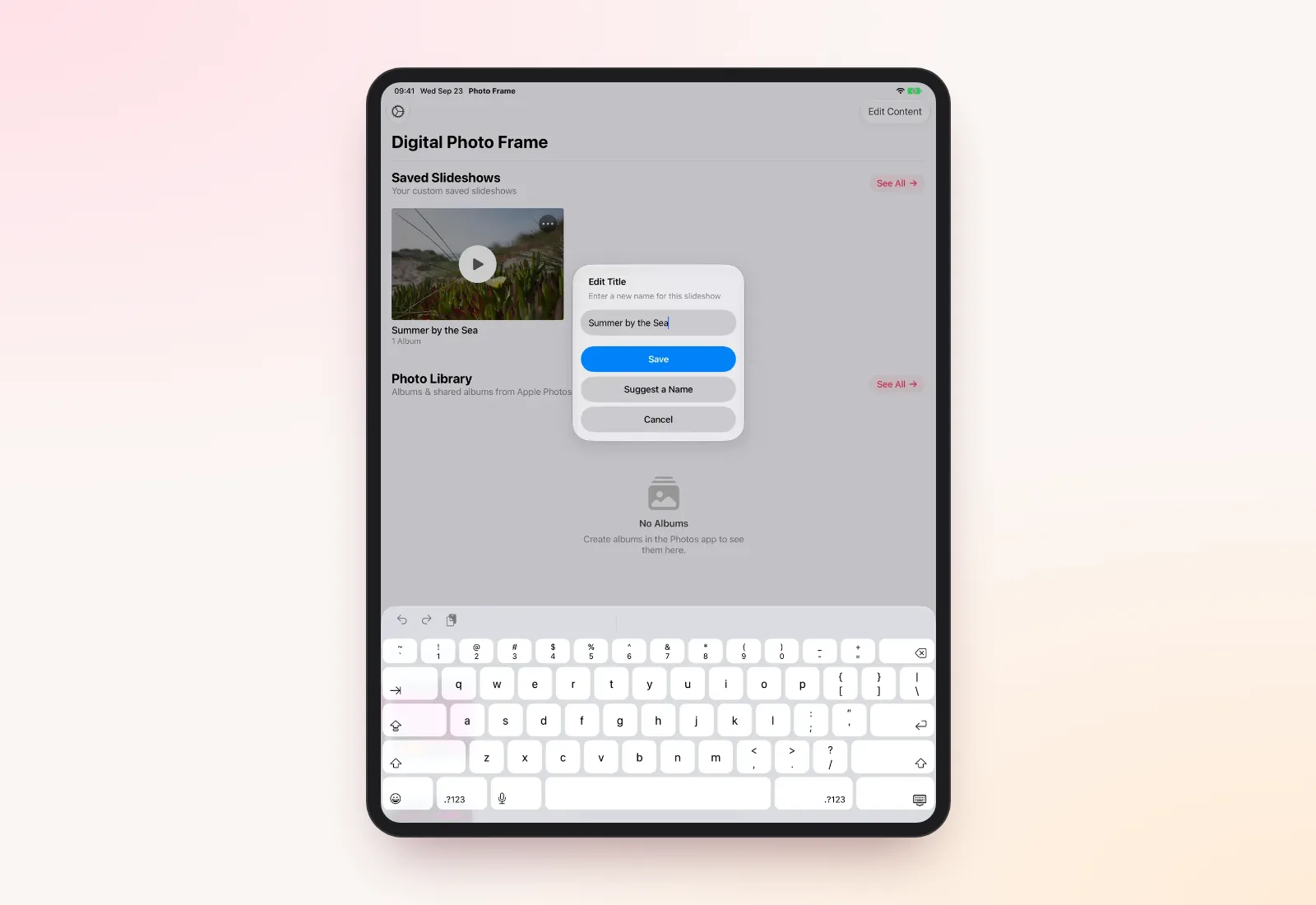
- Suggest a Name uses Apple Intelligence to title a slideshow, on devices that support it.
Ask about the photo on screen
While a slideshow is playing, ask Siri about the photo, and include the app's name as it appears on your Home Screen, Photo Frame:
- "When was this photo taken in Photo Frame?"
- "Where was this photo taken in Photo Frame?"
- "Tell me about this photo in Photo Frame."
Siri answers with the date, the place and the album the photo came from. The same answer is available as the About This Photo action in the Shortcuts app.
The answer comes from the photo's own information. A photo without a saved location, like an old scan or an image someone forwarded you, can't tell you where it was taken. On a device with Apple Intelligence (iOS 18.2 or later), Siri can also look at the photo on screen when you ask about it.
Show a memory from this day
"Show a memory in Photo Frame" (or "On this day in Photo Frame") picks a photo you took on today's date in an earlier year and shows where and when it was taken. You can also run Show a Memory from Spotlight or the Shortcuts app.
It's a small thing, but it brings back photos you'd never think to look for.
Start a slideshow with one tap
The new Play Slideshow control starts a saved slideshow you choose once. Add it to Control Center or the Lock Screen, or assign it to the Action button on an iPhone that has one. Controls need iOS 18 or later.
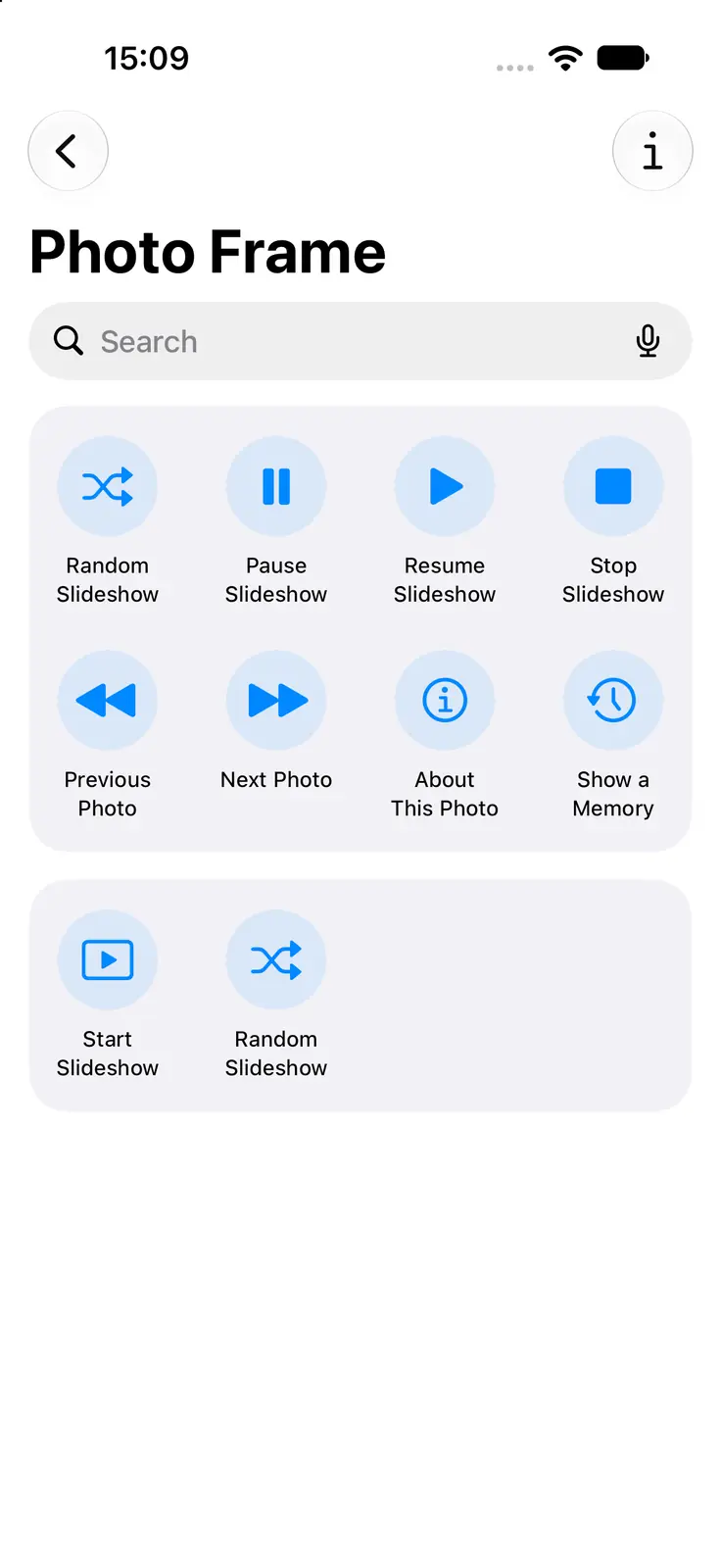
All the slideshow actions are also in the Shortcuts app: Start Slideshow, Random Slideshow, Pause Slideshow, Resume Slideshow, Stop Slideshow, Previous Photo and Next Photo, plus About This Photo and Show a Memory. That's what makes a frame start by itself every morning; see iPad slideshow by day, sleep at night.
An extra-large slideshow widget
The Saved Slideshow widget shows a saved slideshow on your Home Screen and starts it with a tap. It now comes in an extra-large size on iPad, and photos look sharper in every size. On iOS 27 there's also a tall extra-large size. Widgets need iOS 17 or later.
Let Apple Intelligence suggest a name
When you give a saved slideshow a new title (Edit Title), Suggest a Name offers a few titles based on its photos. You can pick one, change it or write your own. It runs on the device, on iPhones, iPads and Macs that support Apple Intelligence.
What you need
| Feature | Needs |
|---|---|
| Ask Siri, Shortcuts actions | iOS 16 or later |
| Siri looking at the photo on screen | Apple Intelligence, iOS 18.2 or later |
| Play Slideshow control | iOS 18 or later |
| Saved Slideshow widget | iOS 17 or later |
| Suggest a Name | A device with Apple Intelligence |
Frequently asked questions
What do I say to Siri?
Include the app's name: "When was this photo taken in Photo Frame?", "Where was this photo taken in Photo Frame?" or "Show a memory in Photo Frame".
Why can't Siri tell me where a photo was taken?
The photo has no saved location. Scans, screenshots and photos sent through some apps often lose it.
Do I need Apple Intelligence?
No. Asking Siri, Show a Memory, the Play Slideshow control and the widget work without it. Only Suggest a Name and Siri looking at the photo on screen use Apple Intelligence.
Does this work on Apple TV or Mac?
The Siri and Shortcuts actions are for iPhone, iPad and Mac. On Apple TV you control the slideshow with the Siri Remote; see Apple TV photo frame.
Have an idea for something else your frame should answer? Write to me.
 Share on Facebook
 Share on X
Keep reading
All posts → Guides Photo Frame with Clock and Weather on iPad
Show the time, date, weather, air quality, UV index and your calendar over a photo slideshow on iPad, iPhone, Mac or Ap…
Guides Photo Frame with Clock and Weather on iPad
Show the time, date, weather, air quality, UV index and your calendar over a photo slideshow on iPad, iPhone, Mac or Ap…
 Guides Slideshow Transition Effects for Your Photo Frame
Every slideshow transition in Digital Photo Frame App, from a gentle fade to Origami and Page Curl, plus Ken Burns moti…
Guides Slideshow Transition Effects for Your Photo Frame
Every slideshow transition in Digital Photo Frame App, from a gentle fade to Origami and Page Curl, plus Ken Burns moti…
 Guides Live Photos and Videos in a Photo Frame Slideshow
Turn your iPad or Apple TV into a video and live photo frame: play Live Photos and videos in the slideshow, with or wit…
Guides Live Photos and Videos in a Photo Frame Slideshow
Turn your iPad or Apple TV into a video and live photo frame: play Live Photos and videos in the slideshow, with or wit…
 Download Now
