More Immich Photos, Less Server Setup
Choose all your Immich photos, add several albums or WebDAV folders, and remove a source without deleting the originals.

October 2, 2026 by Manuel Escrig · 3 min read
Updated October 2026

If you keep your photos on an Immich server or a NAS, getting them onto a frame should be straightforward. Versions 6.26 and 6.28 of Digital Photo Frame App (September 2026) make choosing and managing those sources much easier. Update the app from the App Store to get them.
- Add your whole Immich library, or only photos that are Not in an Album.
- Add more albums or folders without entering the server details again.
- Remove a single album or folder without disconnecting the server. Your originals stay on the server.
- Photo Info shows the date, place, camera and lens, with a link back to Immich.
Your whole Immich library
You can now add All Photos from Immich, or choose Not in an Album if you want the pictures you have not organised yet. Archived photos stay hidden.

Individual albums are still there too, including albums shared with you. The connection also works with Immich 3.0 and later after an API change had made albums appear empty. Thanks Adam for reporting that!

Add another album without starting again
Once the server is connected, you can add several albums without entering its details again. Albums you already selected are marked, so you can see what is on the frame.
NAS and WebDAV folders work in a similar way. Enter the server address, browse its folders and pick the ones you want. You can step into a folder or go back up instead of typing a long path. Thanks Dean for the suggestion.

Remove just the album you need to remove
You can remove an individual album or folder without disconnecting the whole server. The app asks you to confirm when saved slideshows are affected.
This removes the source from Digital Photo Frame. Your original photos stay on the server.
That makes it easier to change what is displayed without rebuilding the connection each time.
See the details behind a photo
Photo Info now shows available information for Immich and NAS/WebDAV photos, including their date, place, camera and lens. Immich photos can also include a link back to Immich.
What you see depends on the information the source provides. A photo with no camera or location metadata will not suddenly acquire it.
These changes came from people using the app with their own libraries, so please keep the feedback coming. You can contact me here if your setup needs something else.
For the full setup, including Synology, QNAP, Nextcloud and Apple TV, see Immich and NAS photo frame for iPad and Apple TV.
Frequently asked questions
How do I get these features?
Update Digital Photo Frame App from the App Store. They arrived in versions 6.26 and 6.28 in September 2026.
Does removing an album delete photos on my server?
No. It only removes the album from the app. Your original photos stay on the server.
Are archived Immich photos shown?
No. Even with All Photos, archived photos stay hidden.
Does this work on Apple TV?
Yes. Immich and NAS / WebDAV work in the Apple TV app too, with photos streamed from your server.
 Share on Facebook
 Share on X
Keep reading
All posts →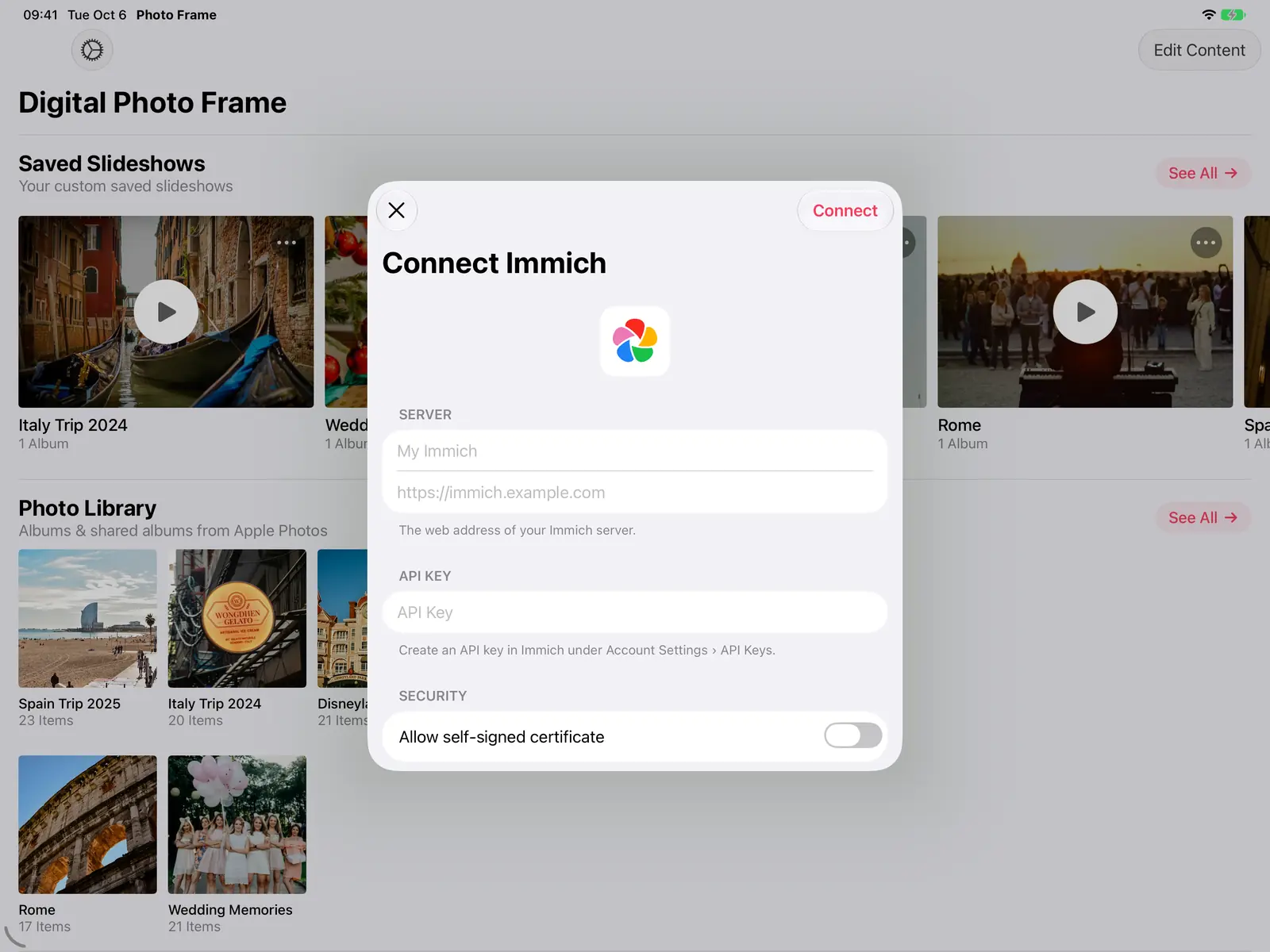 Guides Immich and NAS Photo Frame for iPad and Apple TV
A self-hosted photo frame for iPad, iPhone, Mac and Apple TV: show photos from Immich, Synology, QNAP, Nextcloud or any…
Guides Immich and NAS Photo Frame for iPad and Apple TV
A self-hosted photo frame for iPad, iPhone, Mac and Apple TV: show photos from Immich, Synology, QNAP, Nextcloud or any…
 News A Wider Window for Your Photos on iPhone Duo
See how Digital Photo Frame App uses the cover and inner displays on iPhone Duo, with screenshots, a short fold video a…
News A Wider Window for Your Photos on iPhone Duo
See how Digital Photo Frame App uses the cover and inner displays on iPhone Duo, with screenshots, a short fold video a…
 News Ask Siri About the Photo on Your Frame
Ask Siri when and where the photo on your frame was taken, bring back a memory from this day, and start a slideshow fro…
News Ask Siri About the Photo on Your Frame
Ask Siri when and where the photo on your frame was taken, bring back a memory from this day, and start a slideshow fro…
 Download Now
