5 Clever Ways to Reuse an Old iPad
Five useful ways to reuse an old iPad: a digital photo frame, a kitchen recipe screen, a camera monitor, a reading device and a bedside clock.

July 16, 2026 by Margo Kopec · 5 min read
Updated October 2026

The best ways to reuse an old iPad are the ones where it does a single job all day: a digital photo frame, a recipe screen in the kitchen, a camera monitor, a reading device or a bedside clock. Each one needs little more than a stand, a charger and the right app.
- Photo frame: plays your albums all day, and new photos from an iCloud shared album appear by themselves.
- Kitchen screen: recipes on a stand, no more unlocking a phone with floury hands.
- Camera monitor: a permanent view of your security or baby camera, if its app supports live viewing.
- Reading device: a calm screen for books and magazines, away from your phone.
- Bedside clock: a large clock so your phone can stay out of the bedroom.
How many old iPads are sitting in drawers right now? Most of us upgraded with every intention of finding a use for the old one, and then it quietly collected dust.
Our own story with an old iPad started in 2017. Manuel, my husband, built Digital Photo Frame App while I was pregnant with our twins, so his parents, who live in another country, could watch them grow up. An old iPad in their living room plays an iCloud shared album, and every photo we add from our phones shows up on it. They don't install anything or remember passwords. That album now holds more than 2,000 photos.
Sometimes the best technology isn't the newest. It's the one you already own.
One thing to check first: apps keep raising the iPadOS version they need. Digital Photo Frame App, for example, needs iPadOS 15 or later, which means an iPad Air 2, iPad mini 4 or newer.
1. Turn it into a digital photo frame
This one had to be first.
An old iPad has a better screen than most photo frames you can buy, and it plays videos and Live Photos too. Instead of spending money on a new frame, you can keep your favourite photos on display with a device you already own.
If your family lives in different cities, or in different countries like Manuel's parents, an iCloud shared album keeps everyone connected without anyone needing to be "good with technology".
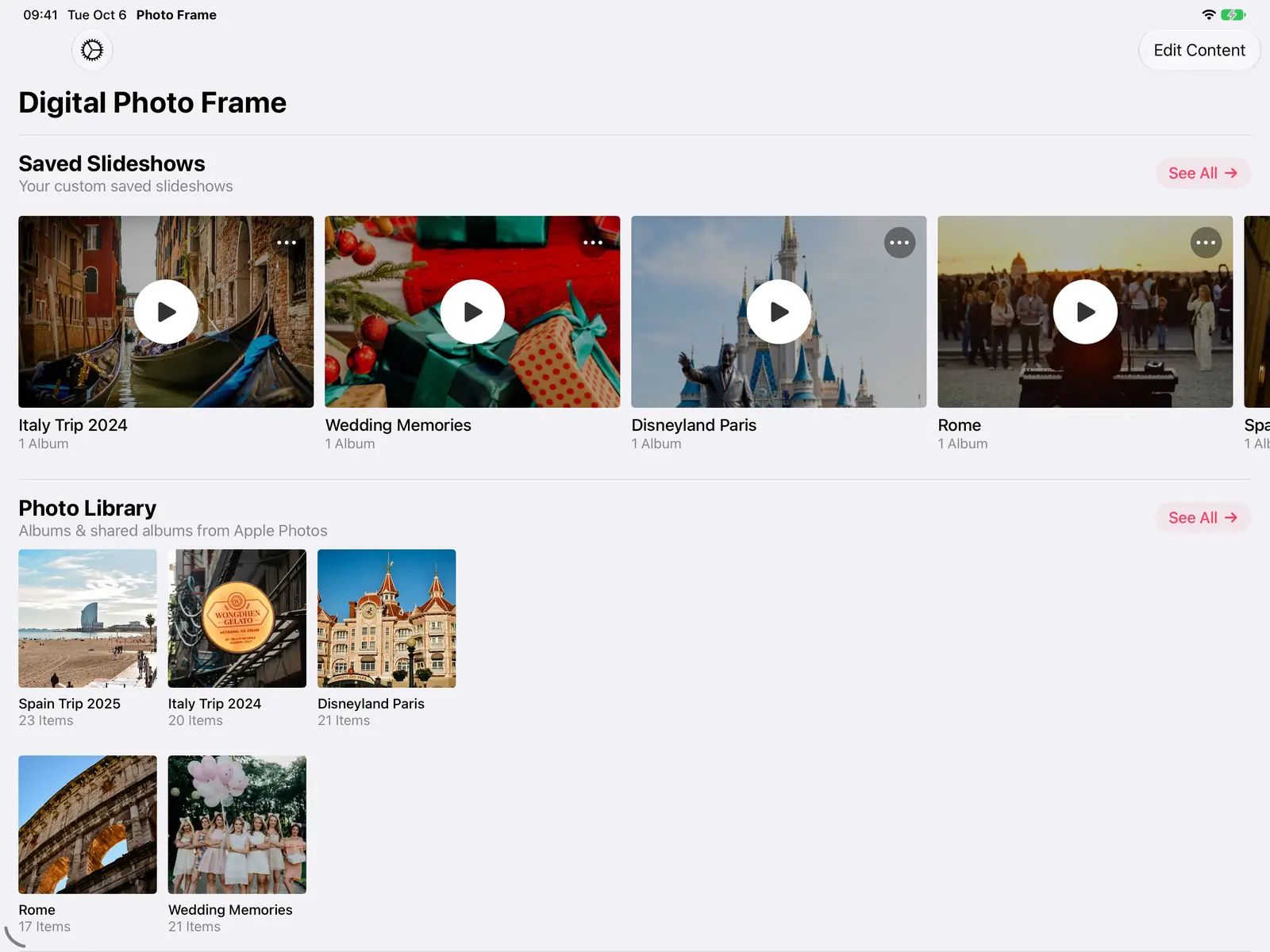
The full setup is in how to turn your iPad into a digital photo frame, and the iPad page shows what the app can do.

2. Create a kitchen recipe station
Cooking with a cookbook balanced against a fruit bowl is a thing of the past.
Prop the iPad on a stand and use it to show recipes while you cook or bake. No more unlocking your phone every few minutes with floury hands.
It's especially fun when cooking with kids. They can read each step and pick the next recipe together, without everyone crowding around one small phone.
3. Use it as a home camera monitor
If you already have security cameras, an old iPad can be a dedicated screen for them.
Instead of opening the camera app on your phone again and again, leave the feed on screen in the kitchen, the home office or near the front door. It's a simple way to keep an eye on deliveries, pets or who's at the gate.
It also works as a baby monitor screen if your camera's app supports live viewing.
4. Turn it into a reading device
Reading on an iPad is surprisingly comfortable.
With adjustable text size, dark mode and brightness, it's easy on the eyes, especially in the evening.
Novels, magazines, newspapers or cookbooks: an old iPad makes a good dedicated reader. Because it isn't your main device, you're less likely to be pulled away by notifications.
5. Make it your bedside clock
Trying to spend less time on your phone before bed?
Move your phone across the room and let the old iPad show the time. A clock app turns it into an easy-to-read bedside clock, so checking the time at night doesn't turn into checking email.
Digital Photo Frame App can do this over your photos: the date and time box has a Huge text size on iPad, readable from across the room.

For the night itself, the app can close at bedtime so the iPad goes dark, and start again in the morning: see slideshow by day, sleep at night.

The best technology is often the one you already own
Before recycling that old iPad, think about the photos it could show, the recipes it could help you cook or the books it could help you read. It may still be one of the most useful devices in your home.
Frequently asked questions
What can I do with an old iPad that no longer updates?
It can still be useful for a single job, but check each app's requirements first. Many apps, including Digital Photo Frame App, need iPadOS 15 or later.
Which old iPads work as a digital photo frame?
With Digital Photo Frame App, any iPad on iPadOS 15 or later: iPad Air 2, iPad mini 4, iPad (5th generation) and newer, and every iPad Pro.
Should an old iPad stay plugged in all day?
For a job that runs all day, like a photo frame or a clock, yes: keep it on its charger.
How do I stop kids or guests from leaving the app?
Use Apple's Guided Access. See how to lock your iPad into a single app.
Tell us other ways you use your old iPad. We'd love to hear from you: write to us.
 Share on Facebook
 Share on X
Keep reading
All posts →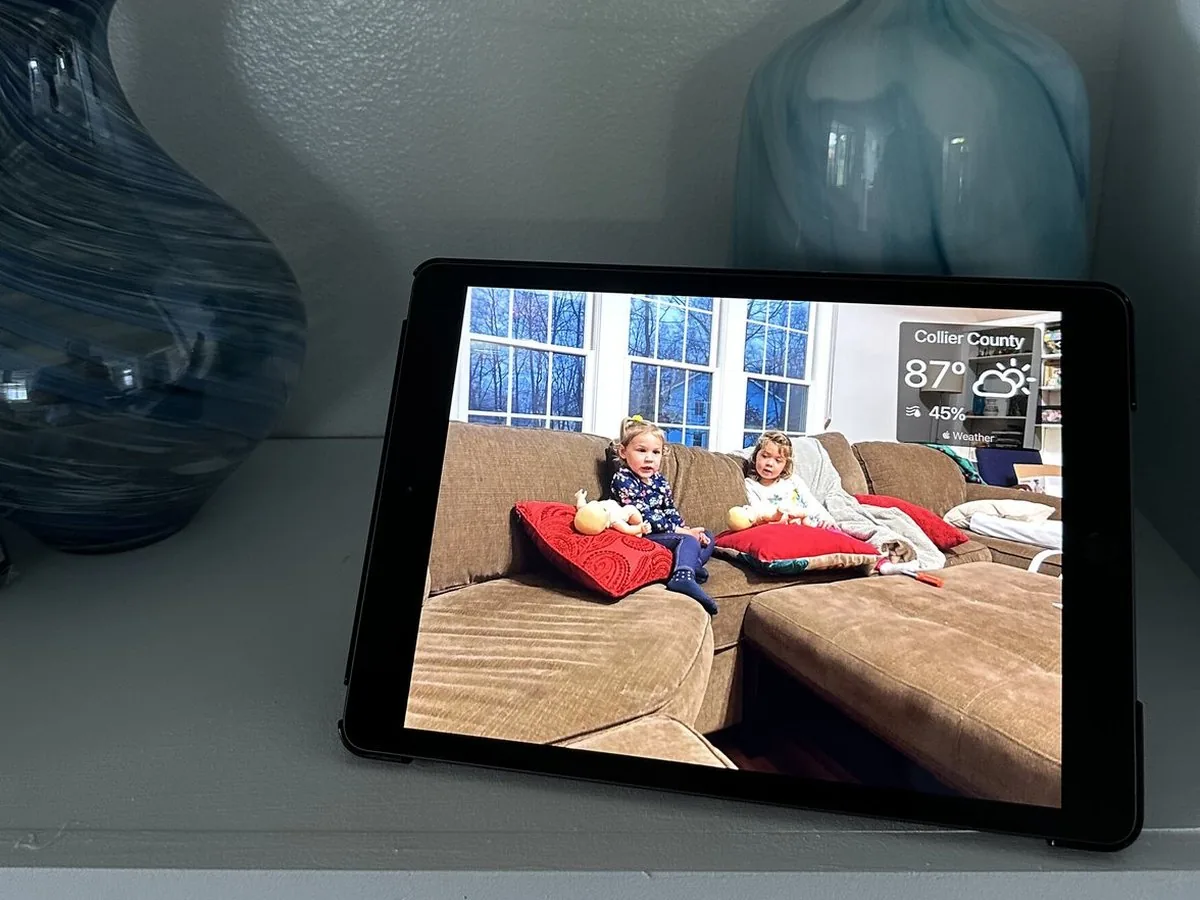 Guides How to Turn Your iPad into a Digital Photo Frame
Turn an old iPad into a digital photo frame in 10 minutes: which iPads work, the settings that matter, and how to keep …
Guides How to Turn Your iPad into a Digital Photo Frame
Turn an old iPad into a digital photo frame in 10 minutes: which iPads work, the settings that matter, and how to keep …
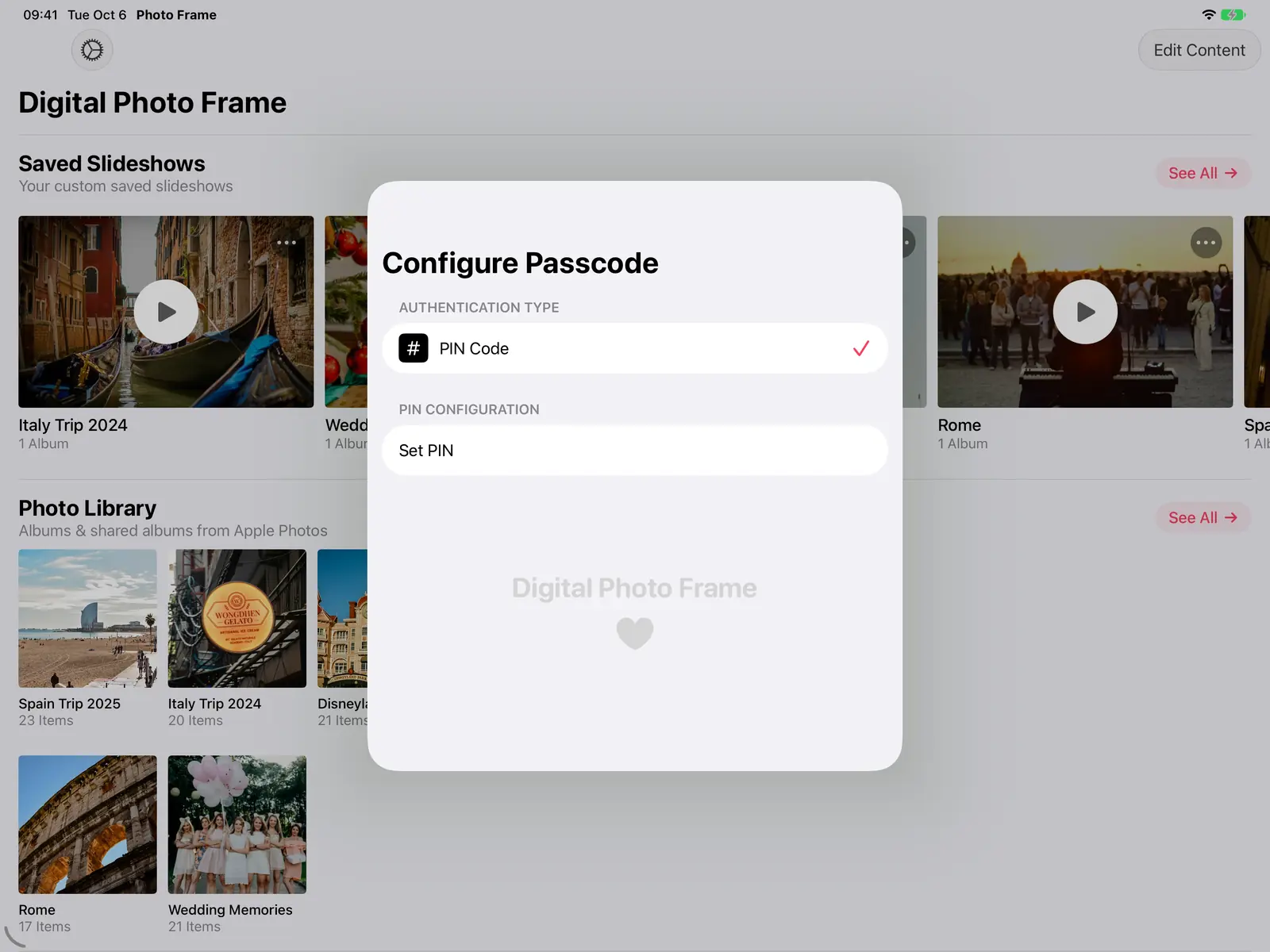 Guides How to Lock an iPad to One App (Guided Access)
Lock an iPad or iPhone to one app with Guided Access, step by step, so kids, guests or grandparents can't leave it. Ide…
Guides How to Lock an iPad to One App (Guided Access)
Lock an iPad or iPhone to one app with Guided Access, step by step, so kids, guests or grandparents can't leave it. Ide…
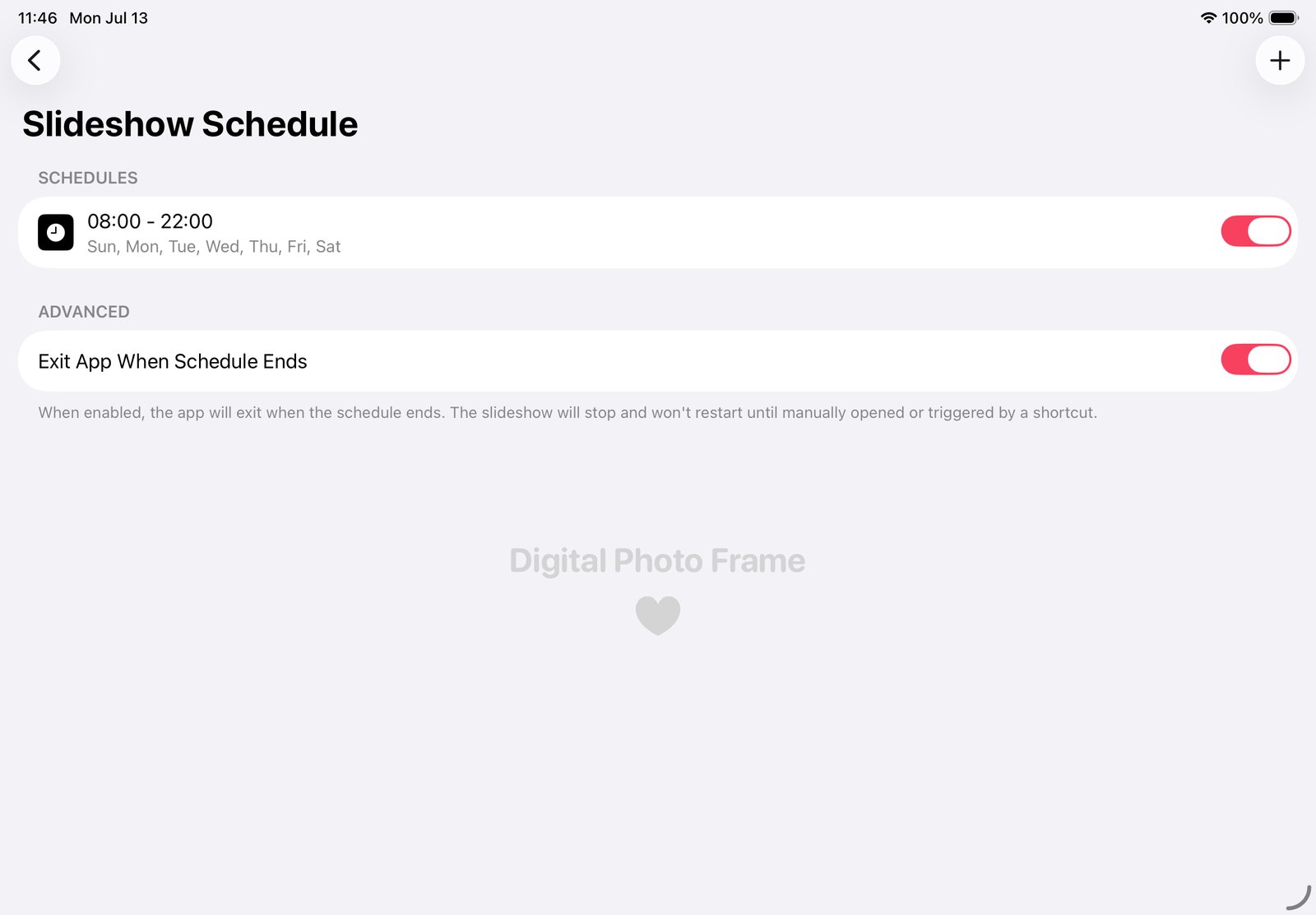 Guides iPad Photo Frame: Slideshow by Day, Sleep at Night
Make your iPad photo frame show photos by day, go dark at night and start again each morning, with the app's schedule a…
Guides iPad Photo Frame: Slideshow by Day, Sleep at Night
Make your iPad photo frame show photos by day, go dark at night and start again each morning, with the app's schedule a…
 Download Now
