Google Photos Slideshow on iPad, iPhone and Mac
How to play a Google Photos slideshow on iPad, iPhone and Mac: Google's own options, a full-screen photo frame slideshow, and what changed in 2025.

January 4, 2022 by Manuel Escrig · 4 min read
Updated October 2026
To play a Google Photos slideshow on an iPad, iPhone or Mac, pick the photos in Google's own picker inside a slideshow app such as Digital Photo Frame App, and play them full screen with transitions, music and the clock. Google Photos itself is better at making a short animation than at running a long slideshow, and on smart displays and Google TV it can show albums as a photo frame.
- In Google Photos: make an animation with Create, Animation, or show albums on a Google TV or Nest display with Photo frames.
- On iPad, iPhone or Mac: in Digital Photo Frame App, open Add Source, choose Google Photos and pick your photos in Google's picker.
- Since Google's 2025 changes, apps only see the photos you pick, so new photos don't appear by themselves.
- For a frame that updates itself, use an iCloud shared album instead.
- Google Photos isn't available in the app on Apple TV.
Option 1: Google Photos' own tools
Google Photos has two built-in ways to show photos one after another:
- An animation. In the Google Photos app, tap Create, then Animation, pick your photos and tap Create. You get a quick-moving clip; you can't change its speed.
- Photo frames. On devices such as Google TV, Chromecast and Nest Hub displays, Google Photos can show albums on the idle screen (not in every country). In the Google Photos app, tap your profile picture, then Google Photos settings, Apps & devices, Photo frames.
Neither turns an iPad, iPhone or Mac into a full-screen slideshow you can leave running, which is where a slideshow app comes in.
Option 2: a full-screen slideshow with Digital Photo Frame App
I built Digital Photo Frame App around an iCloud shared album for my parents, but plenty of families keep everything in Google Photos, so the app connects to it too. It runs on iPad, iPhone and Mac.
- Open Add Source and choose Google Photos, then tap Connect to Google Photos and sign in with your Google account.
- Tap Select Google Photos Media. Google's own picker opens.
- Choose the photos and videos you want, then return to the app.
- Play the selection, or save it as a slideshow and turn on Enable Auto-Play so it starts whenever the app opens.
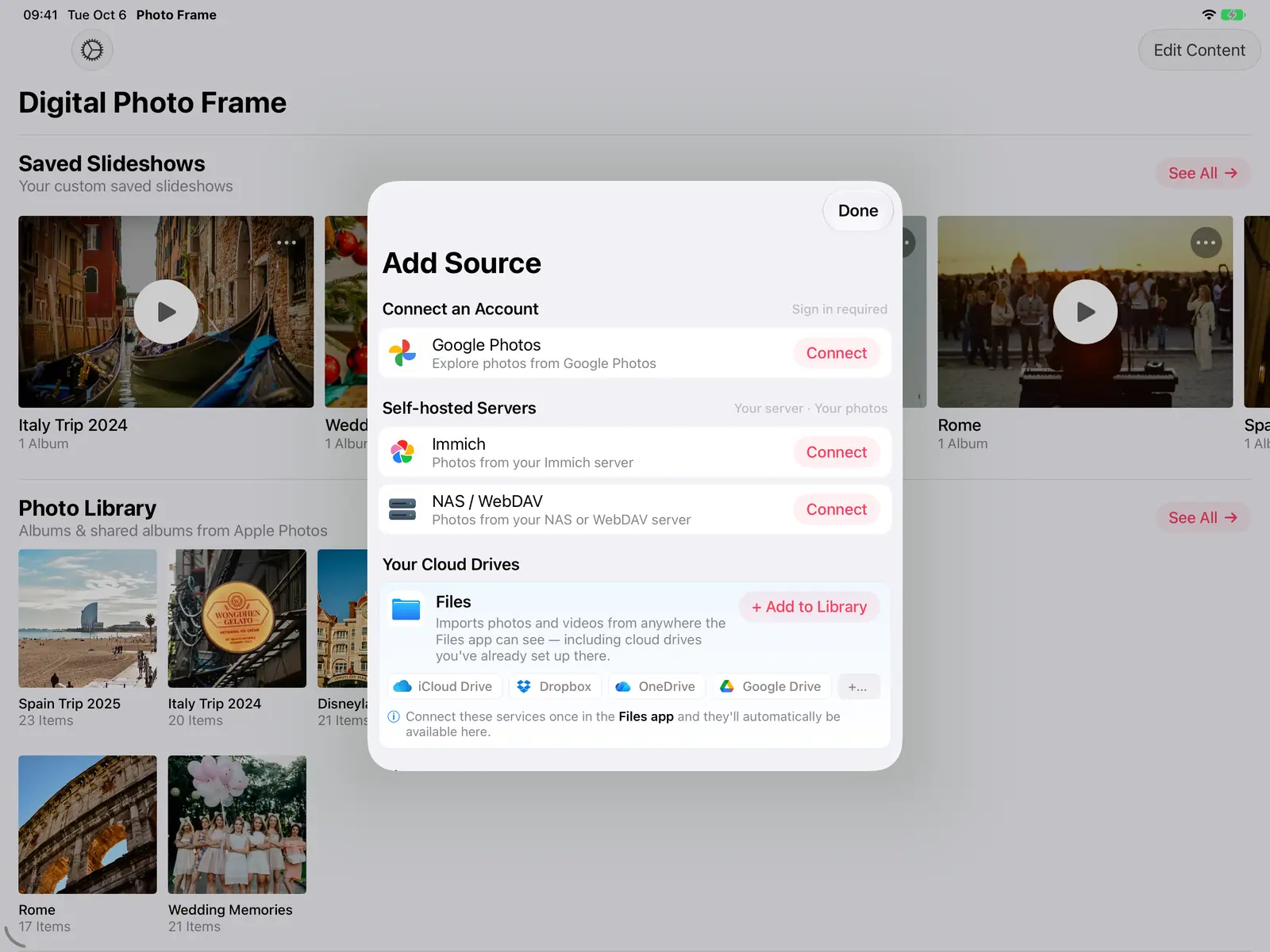
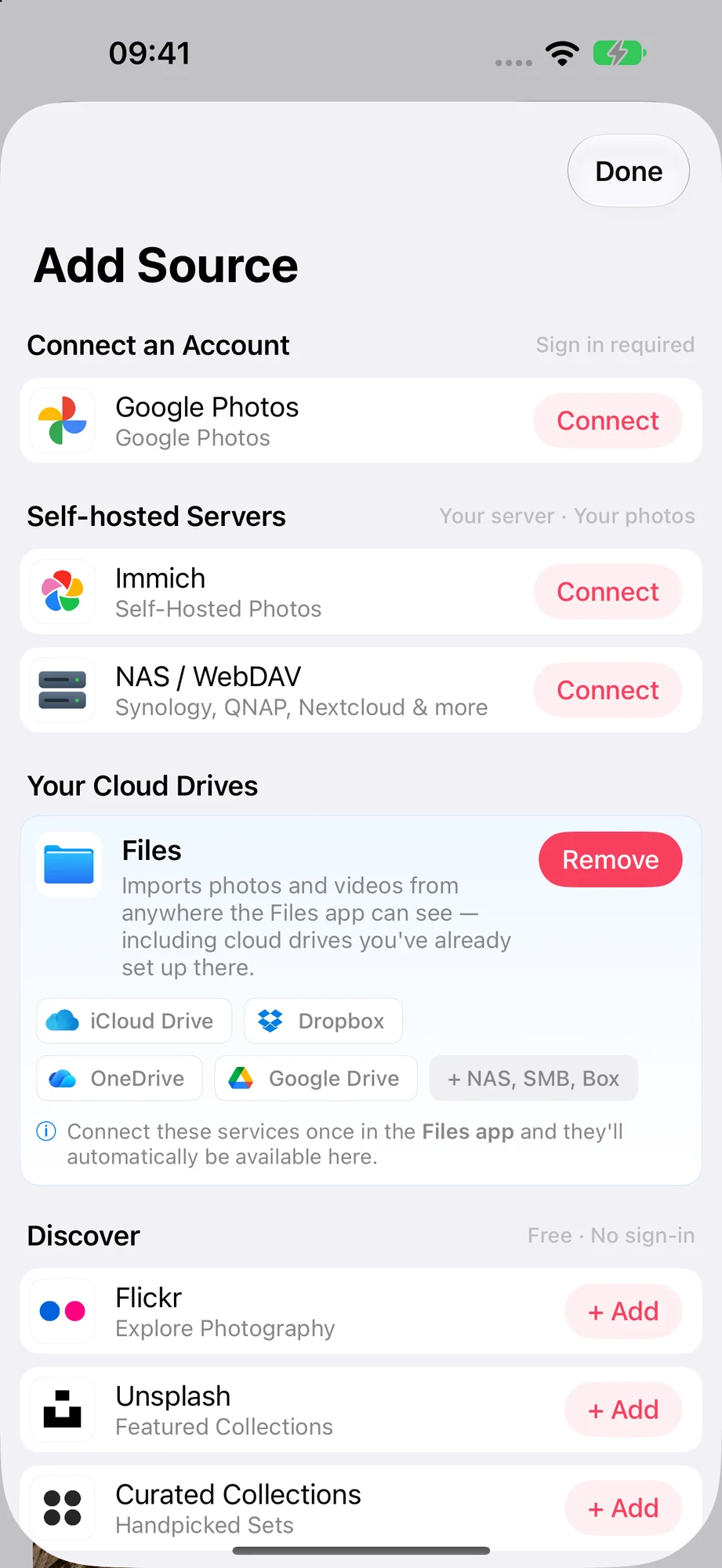
From there it plays like any other source: the same transitions, background music, weather, date and time, and photo info. You can also filter a selection to only photos or only videos, or to a date range such as Last Week, Last Month or Last Year.
What changed in 2025
Google changed how apps can use Google Photos. Apps can now only use the photos you choose in Google's picker. They can't browse your albums or follow a shared album anymore.
In practice:
- Your selection is a snapshot. Photos you add to a Google album later won't appear until you open your selection again and add them.
- Selections can expire. If the app says your Google Photos selection has expired, open it and pick the photos again.
- No Apple TV. Google Photos isn't available in the app on Apple TV. Use the app on iPad, iPhone or Mac, or AirPlay from them.
Want a frame that updates by itself?
If family members should add photos from their own phones and see them appear on the frame, use an iCloud Shared Album. New photos show up while the slideshow is running. That's how my parents' frame has worked since our twins were born: digital photo frame for grandparents shows the setup. If your family is set on Google Photos and wants self-updating albums, a dedicated frame such as Aura can sync Google albums; I compare them honestly in Frameo vs Aura vs Skylight.
Not sure which to use? Google Photos vs iCloud for a digital photo frame puts them side by side.
Frequently asked questions
How do I make a slideshow in Google Photos?
In the Google Photos app, tap Create, then Animation, choose your photos and tap Create. For a full-screen slideshow on an iPad, iPhone or Mac, pick the photos in a slideshow app such as Digital Photo Frame App.
Can Digital Photo Frame App show my Google Photos albums?
It shows the photos you choose in Google's picker. Since Google's 2025 changes, apps can't browse or follow your albums directly.
Why don't new Google Photos appear in my slideshow?
Your selection is fixed until you change it. Open your Google Photos selection in the app and add the new photos.
Can I show Google Photos on Apple TV?
Not in the Apple TV app. Use Digital Photo Frame App on iPad, iPhone or Mac, or Google's Photo frames feature on a Google TV device.
How much does it cost?
Digital Photo Frame App is free to download. Premium is $2.99 a month, $19.99 a year with a 7-day free trial, or $69.99 once (US prices).
Sources
Manuel Escrig
 Share on Facebook
 Share on X
Keep reading
All posts → Comparisons Google Photos vs iCloud for a Digital Photo Frame
Which photo source works best for a digital photo frame? iCloud and Google Photos compared on automatic updates, family…
Comparisons Google Photos vs iCloud for a Digital Photo Frame
Which photo source works best for a digital photo frame? iCloud and Google Photos compared on automatic updates, family…
 Guides Immich and NAS Photo Frame for iPad and Apple TV
A self-hosted photo frame for iPad, iPhone, Mac and Apple TV: show photos from Immich, Synology, QNAP, Nextcloud or any…
Guides Immich and NAS Photo Frame for iPad and Apple TV
A self-hosted photo frame for iPad, iPhone, Mac and Apple TV: show photos from Immich, Synology, QNAP, Nextcloud or any…
 Guides 5 Clever Ways to Reuse an Old iPad
Five useful ways to reuse an old iPad: a digital photo frame, a kitchen recipe screen, a camera monitor, a reading devi…
Guides 5 Clever Ways to Reuse an Old iPad
Five useful ways to reuse an old iPad: a digital photo frame, a kitchen recipe screen, a camera monitor, a reading devi…
 Download Now
